In Megaphone Studio, you can share contest entries using the Share button. But that raises a privacy question: what if you want to share entries but you don't want to see any sensitive email addresses or phone numbers yourself? Can you still share the entries? Thanks to Megaphone's Blind Sharing, yes, you can.
Blind Sharing keeps sensitive email addresses and phone numbers private while still letting you share winners and valuable leads with a sponsor or third party.
Here's how it works:
1) In Megaphone Studio, open your contest offer. (Or, for a regular form, open your form offer.)
2) Select the Entries tab or the Submissions tab. Here's where the magic happens: if you don't have the PII role, you won't see the entries. But you can still share them.
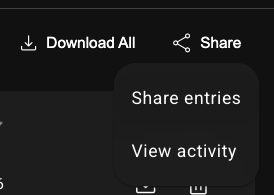
3) Select Share > Share Entries. (Or Share Submissions for regular forms.)
4) In Share Contest Entries, enter the email address of the person you want to share the entries with.
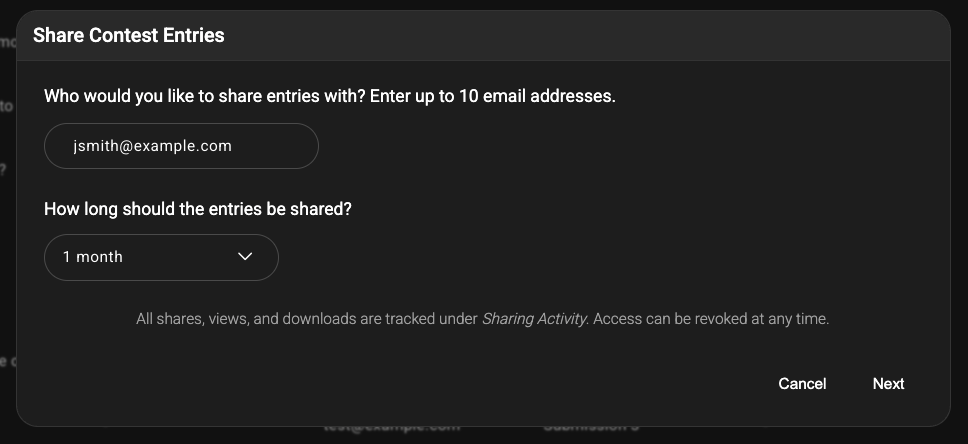
5) Click Next.
6) Optionally, add a message to include in the email Megaphone sends to the person you're sharing with.
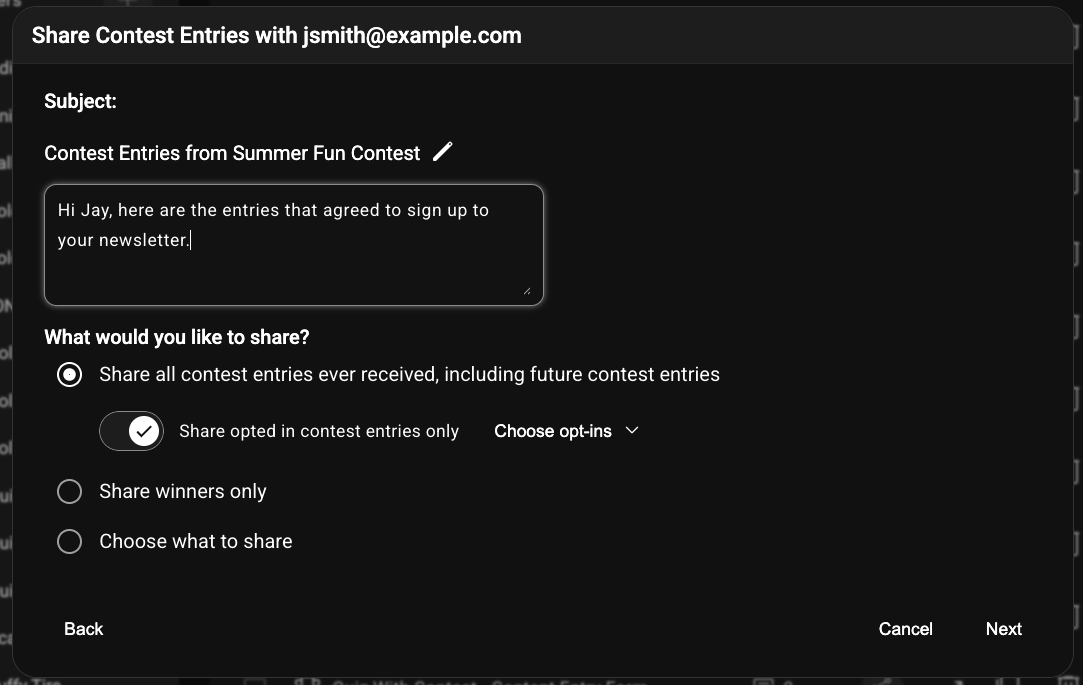
7) If your form has any Opt-in Checkboxes for newsletters and marketing, Megaphone automatically excludes entries that haven't agreed to those opt ins. If you want to share all entries instead, disable "Share opted in entries only". To share entries that match certain requirements, such as a date range, select "Choose what to share".
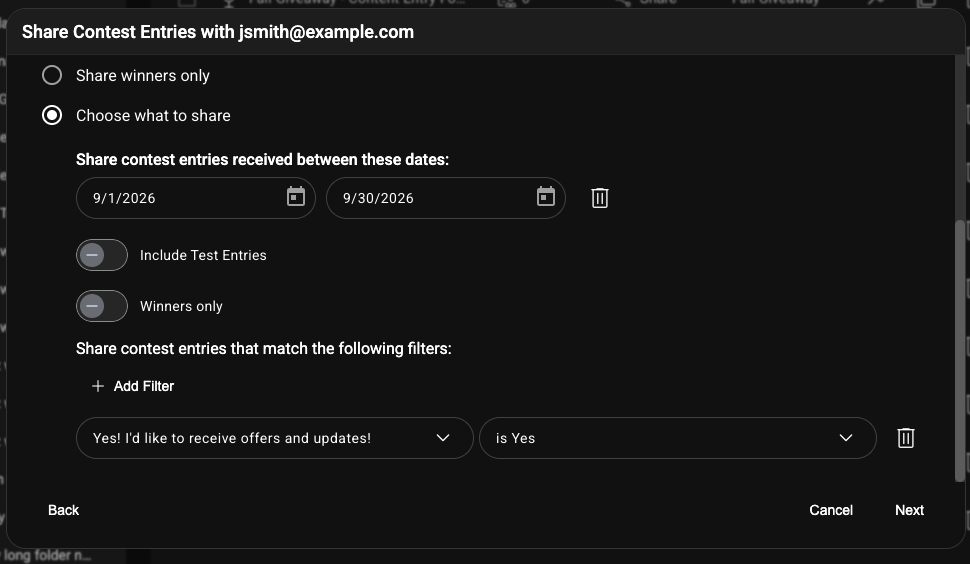
8) Click Next.
9) If you want the person you're sharing with to receive an email when new entries (or submissions) are received, under "Send a notification email for new submissions?", choose "Yes", then choose the number of entries to share in each email and the email frequency. For example, to receive an email for every single entry no later than 5 minutes after it is received, choose "Send email when at least 1 new contest entry has been received." and choose "Send notification emails every 5 minutes".
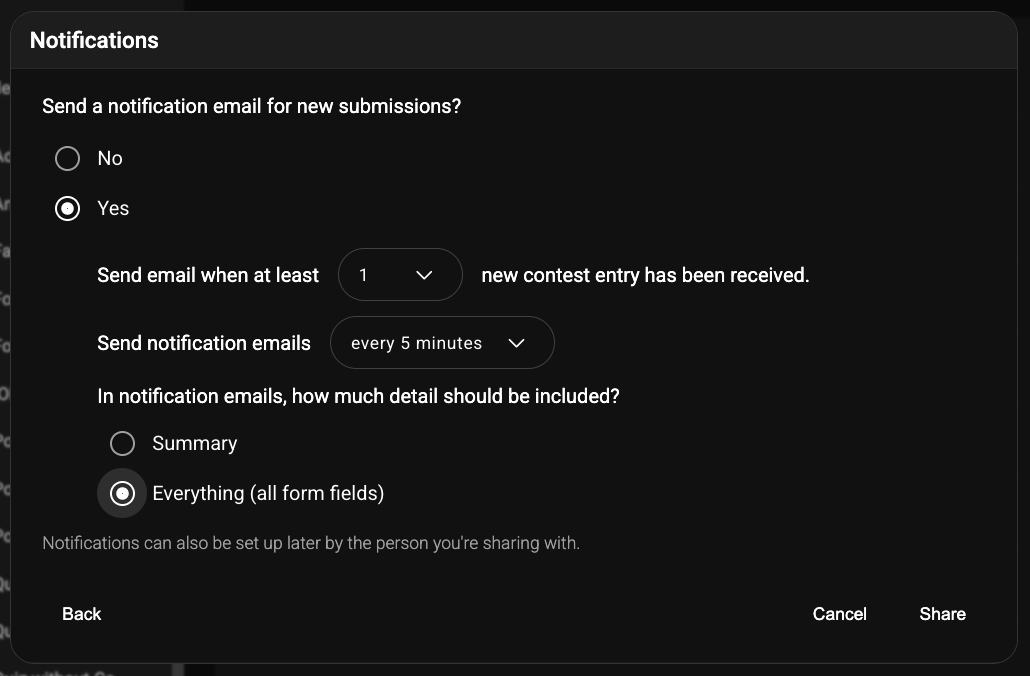
10) Click Share.
You're done!
An email with the entries you shared will be sent to the person you shared them with. That person will be granted access to a portal for viewing, searching, and downloading the entries. If someone enters the contest after you share entries, the list of shared entries will update automatically, so there's never a need to "re-share."
The Shared Entries Email
Here's an example of the Shared Entries email that Megaphone sends to the people you share with:
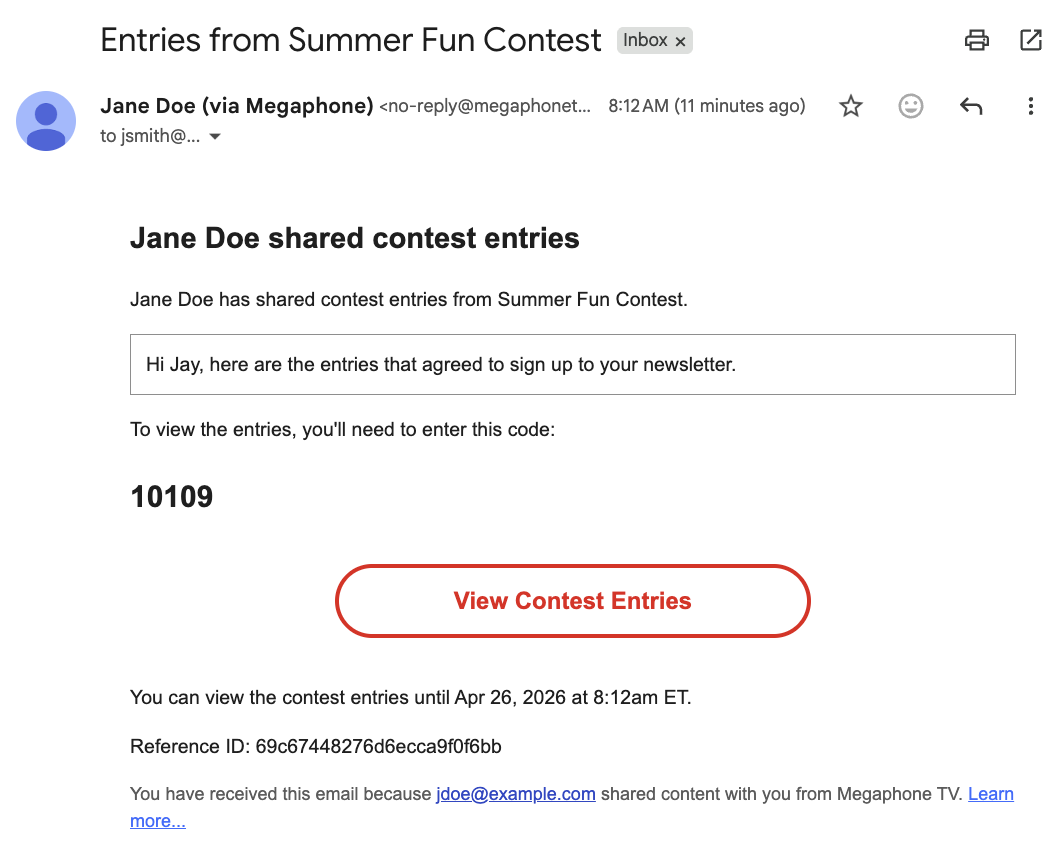
The Shared Entries Portal
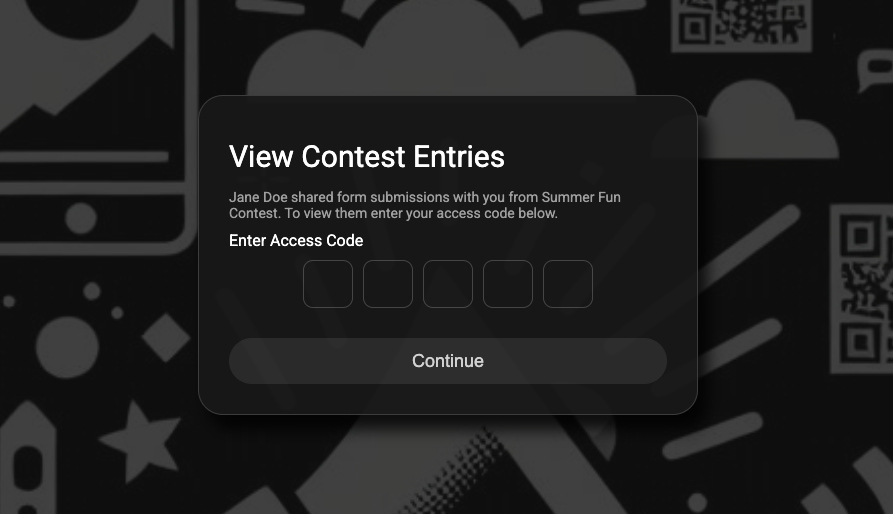
To view contest entries, the person you shared with clicks the "View Contest Entries" button in the email and enters their access code.
The person you shared with can then view, search, filter, and download entries using all the same powerful tools available in Megaphone Studio. 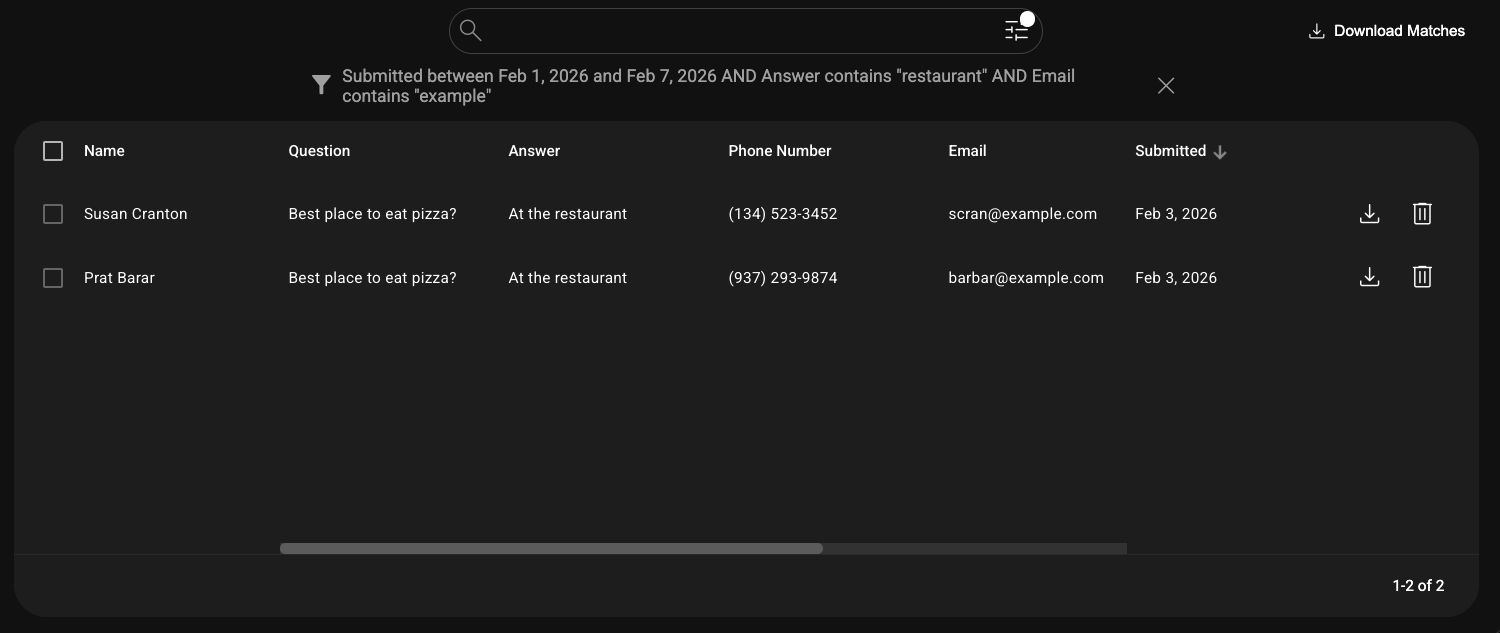
Revoking Access to Shared Entries
If you want to remove access to shared entries immediately, follow these steps:
1) Select Share > View activity.
2) Under People with Access, click the Remove Access (trash) button.
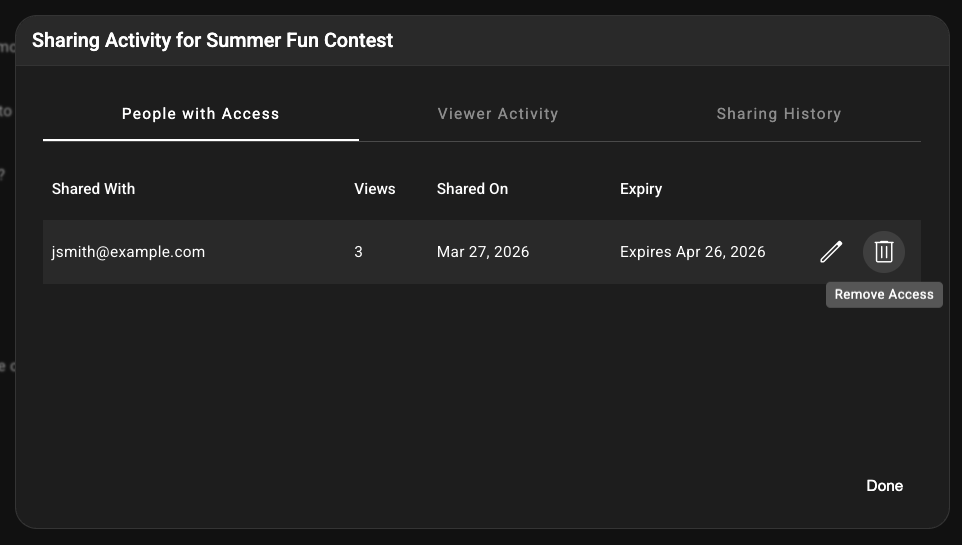
3) On the "Remove Access" dialog, click Remove.
Note that you can also limit how long someone can see the entries when you originally share them, under "How long should the entries be shared?"
Checking If Entries Have Been Viewed or Downloaded
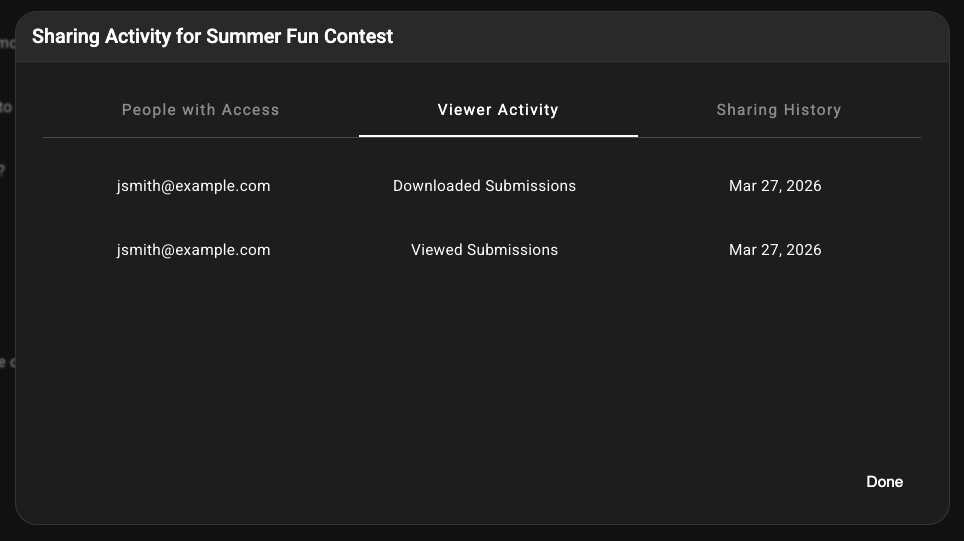
To check if the person you shared the entries with has viewed or downloaded the entries, follow these steps:
1) Select Share > View activity.
2) Select Viewer Activity.
Was this article helpful?
That’s Great!
Thank you for your feedback
Sorry! We couldn't be helpful
Thank you for your feedback
Feedback sent
We appreciate your effort and will try to fix the article