In Megaphone Studio, a user's roles control which projects the user can see, and what they can do in those projects. For example, a role can give a user the ability to create content, operate a playlist, or view usage statistics and analytics. Roles can be added or removed by a Megaphone Team Manager in the Team tab, inside Megaphone Studio.
Only Team Managers can add or remove user roles. A Team Manager is a user that has the Team role. |
To add or remove a user role, follow the steps below.
Step 1: Open Account Settings
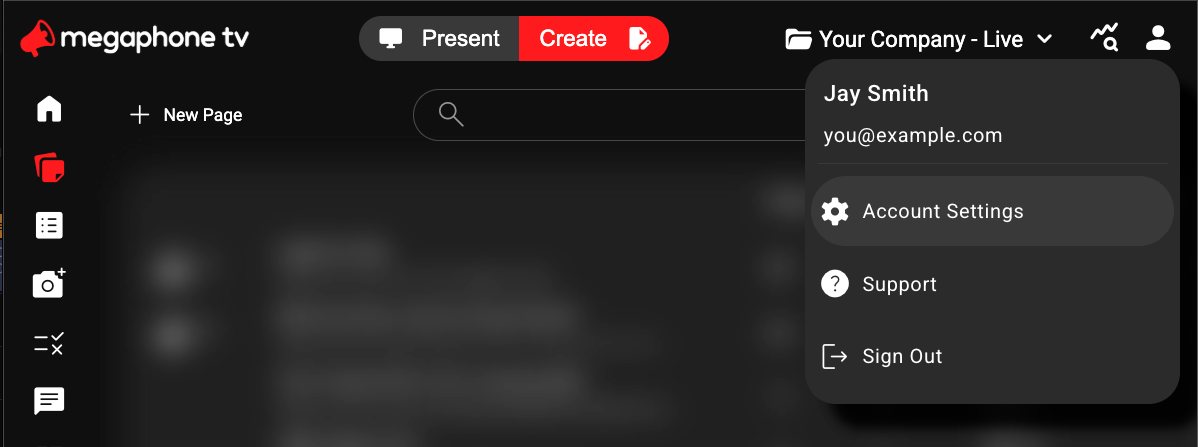
In the top-right corner of Megaphone Studio, click the User icon, then choose Account Settings.
Step 2: Open the Team Tab
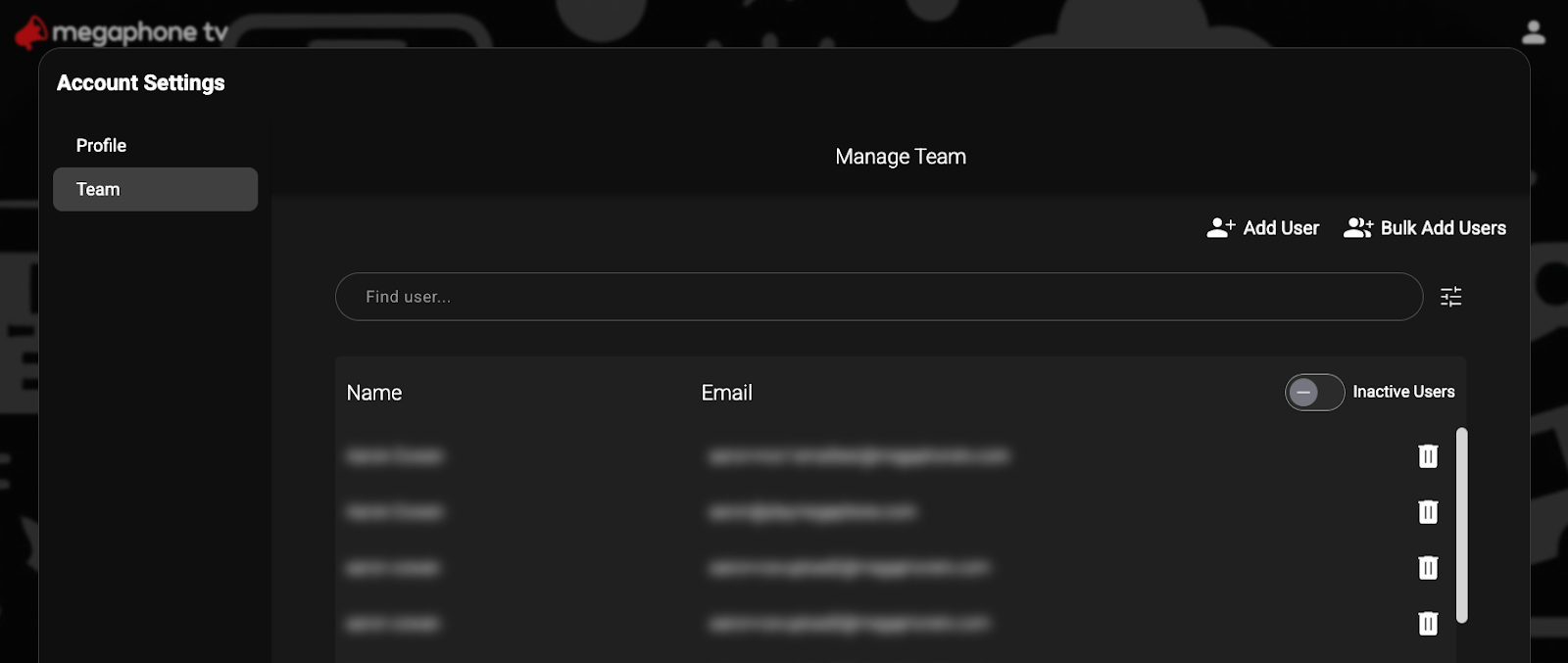
In Account Settings, select Team. A list of users that you have access to will appear. If you don't see the Team tab, you don't have the Team role, and you'll have to ask a Team Manager at your organization to add or remove roles for you.
Step 3: Select the User
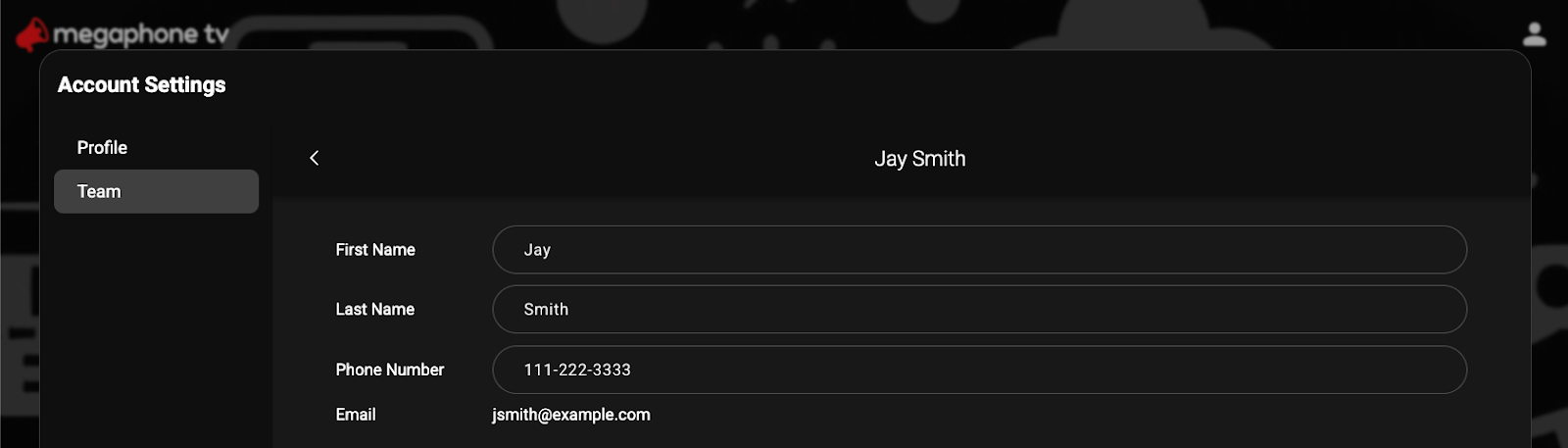
In the Team tab, use the search bar to find the user you want to add roles to, or remove roles from. Click the user's name to display the user's profile, which includes the user's roles.
Step 4: Add or Remove Roles
To add new roles, in the user's profile, click Add Roles, then click the roles you want to add for individual projects or all projects.
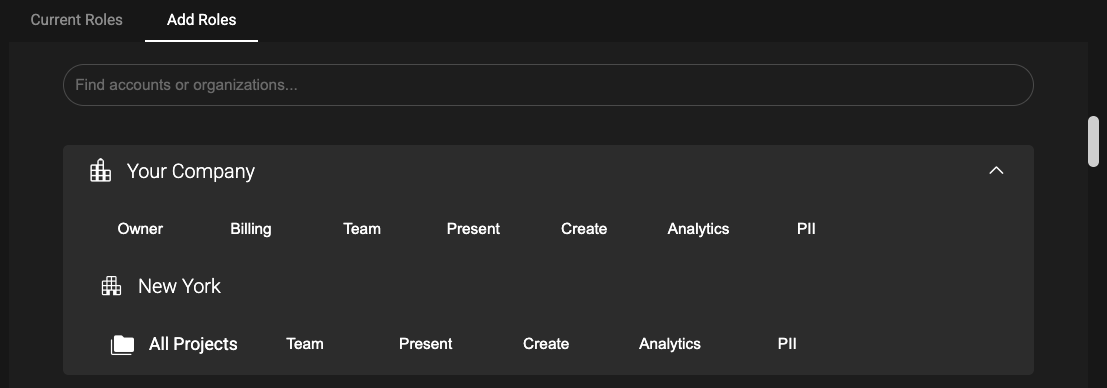
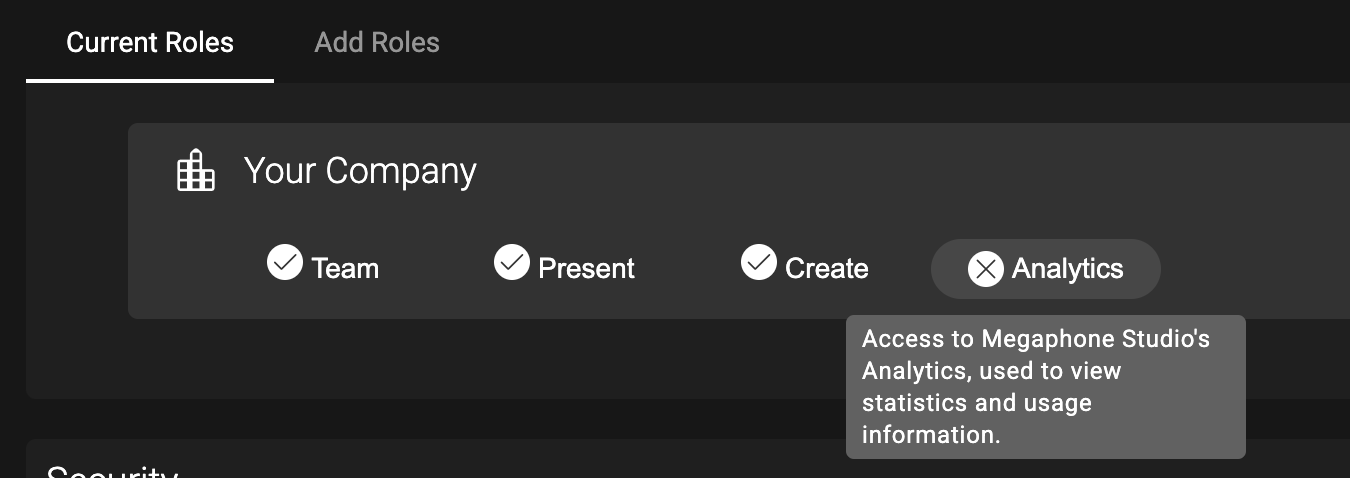
To remove roles, in the user's profile, click Current Roles, then click the roles you want to remove.
About User Roles
Megaphone Studio's User Roles let users see and do things in Megaphone Studio, such as creating content, operating a playlist, and viewing usage analytics. Each of Megaphone Studio's User Roles is described below.
Owner | Access to account-level controls in Megaphone Studio. |
Team | Access to user accounts, including adding and removing users and assigning user roles. |
Present | Access to Megaphone Studio's Present tab, used for live operations. |
Create | Access to Megaphone Studio's Create tab, used to create content such as polls, quizzes, contests, landing pages, and QR codes. |
Analytics | Access to Megaphone Studio's Analytics, used to view statistics and usage information. |
PII | Access to "Personally Identifiable Information" (PII) such as email addresses and phone numbers in contest entries and form submissions. To grant the PII role, the Team Manager must, themselves, have the PII role. |
| Winners | Access to contest-winner details, including names and email addresses from winning contest entries. |
Was this article helpful?
That’s Great!
Thank you for your feedback
Sorry! We couldn't be helpful
Thank you for your feedback
Feedback sent
We appreciate your effort and will try to fix the article