To pick a winner for a contest, follow steps below.
How to Pick a Random Winner
1) In Megaphone Studio's left menu, select Offers, then click your contest's offer.
2) In the Overview tab, click Pick a Winner.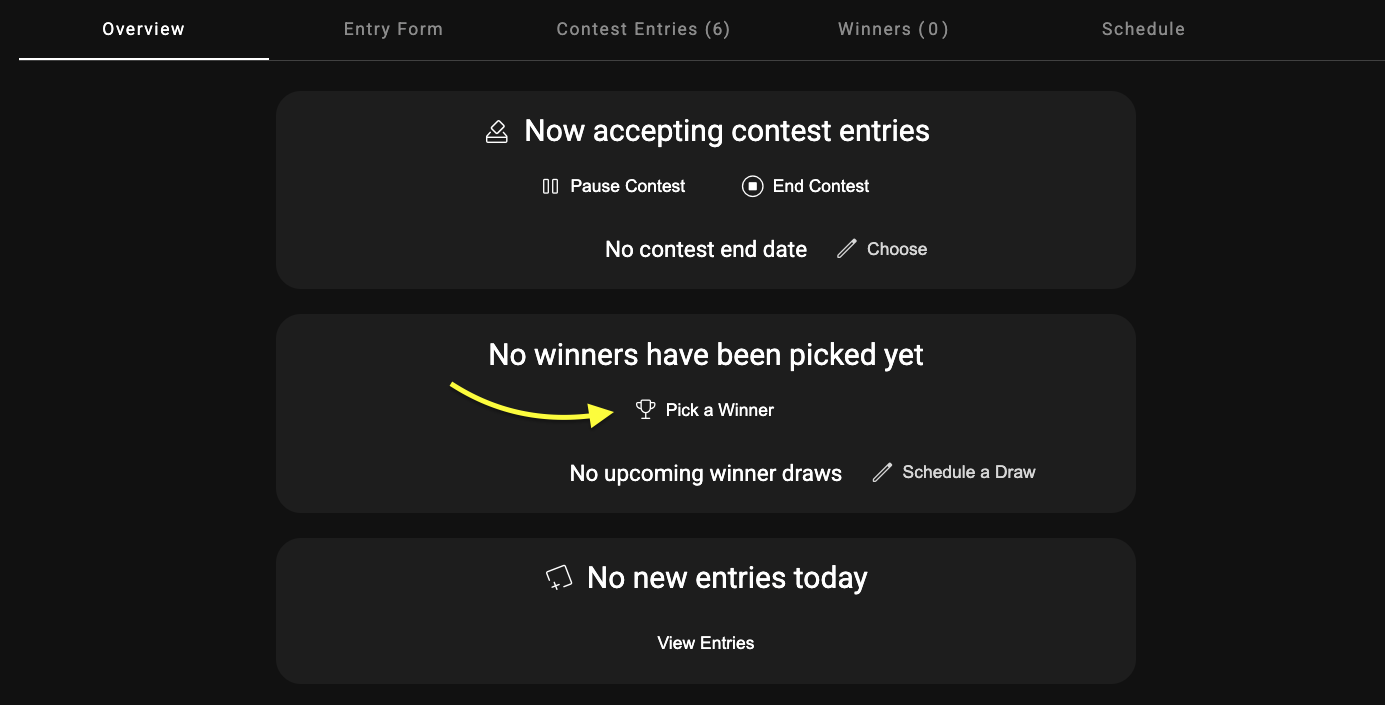
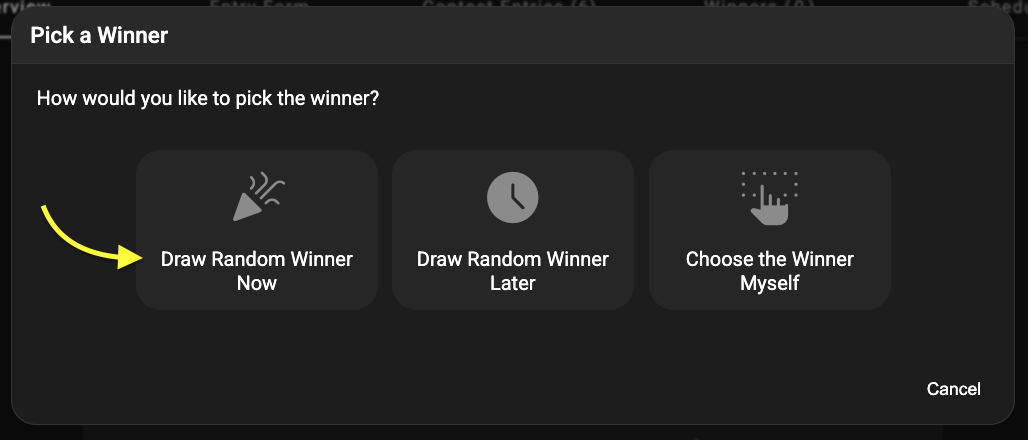
3) Choose Draw Random Winner Now.
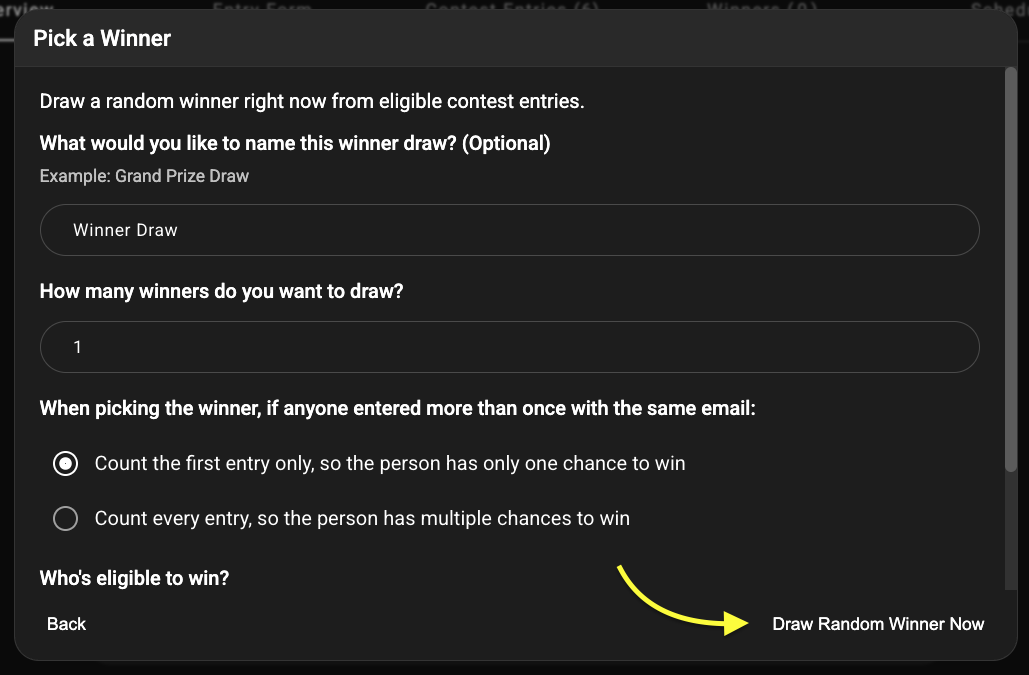
4) Enter a name for your winner draw, then choose how many winners to pick, and click Draw Random Winner Now.
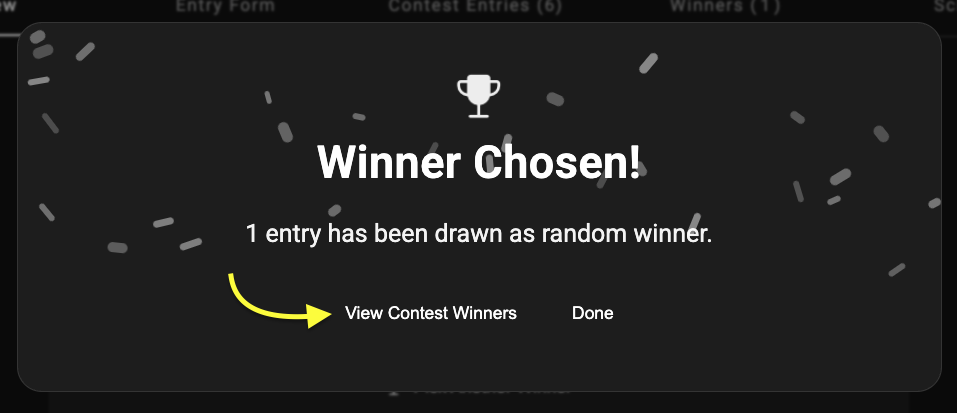
5) Your winner will be randomly selected. To view the winning contest entry, click View Contest Winners, then click the name of the winner to see their contact information.
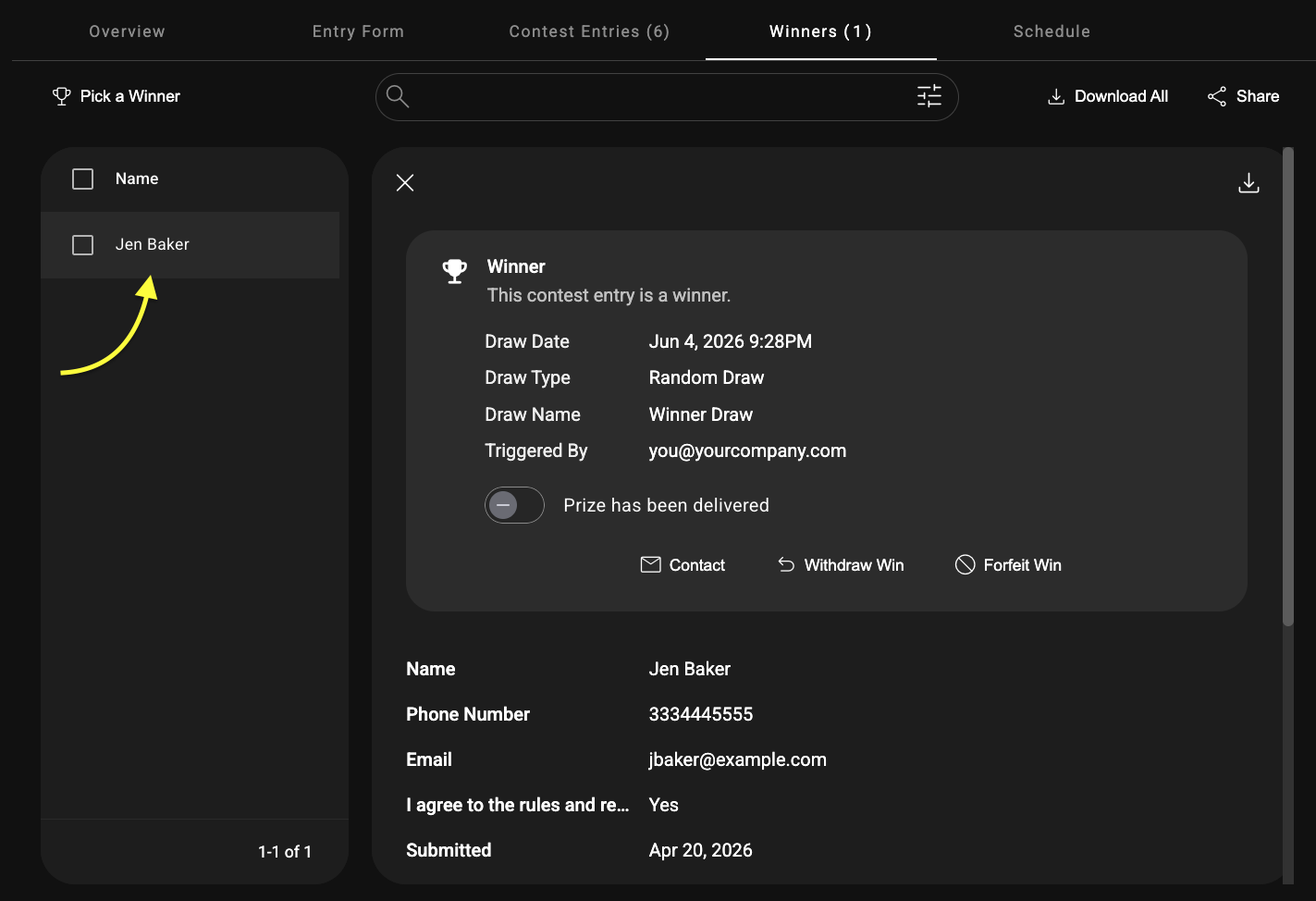
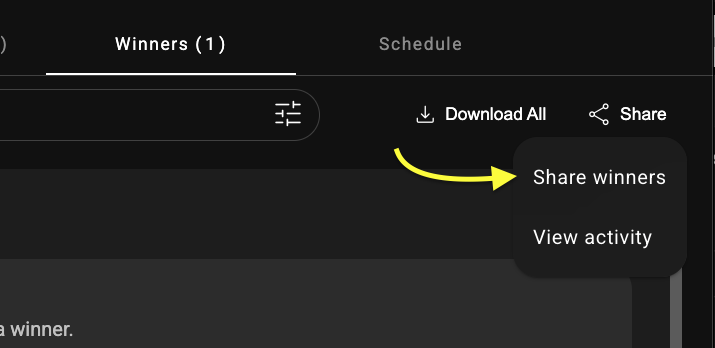
Winner contact info is only available if you have permission to see winners in your Megaphone Studio project. Without that permission, you won't be able to see the winner's information. You can, however, still share it with the person responsible for contacting the winner to fulfil prizing, such as the contest sponsor. To share winner information, in the top right corner of the Winners tab, click Share > Share Winners, then follow the steps. The person you share the winners with will be granted access to a portal to view the winner information.
How to Pick Multiple Winners with Different Prizes
If you're giving away different prizes and want to pick winners for each prize, simply repeat the above "Pick a Winner" steps for each prize. For example, imagine your contest has four prizes: three T-Shirts and one pair of concert tickets as a grand prize. Here are the steps to follow to choose winners for those prizes:
1) In the Overview tab, click Pick a Winner.
2) Choose Draw Random Winner Now.
3) For "What would you like to name this winner draw?", enter T-Shirt Winner Draw, and for "How many winners do you want to draw?", enter 3, then click Draw Random Winner Now. 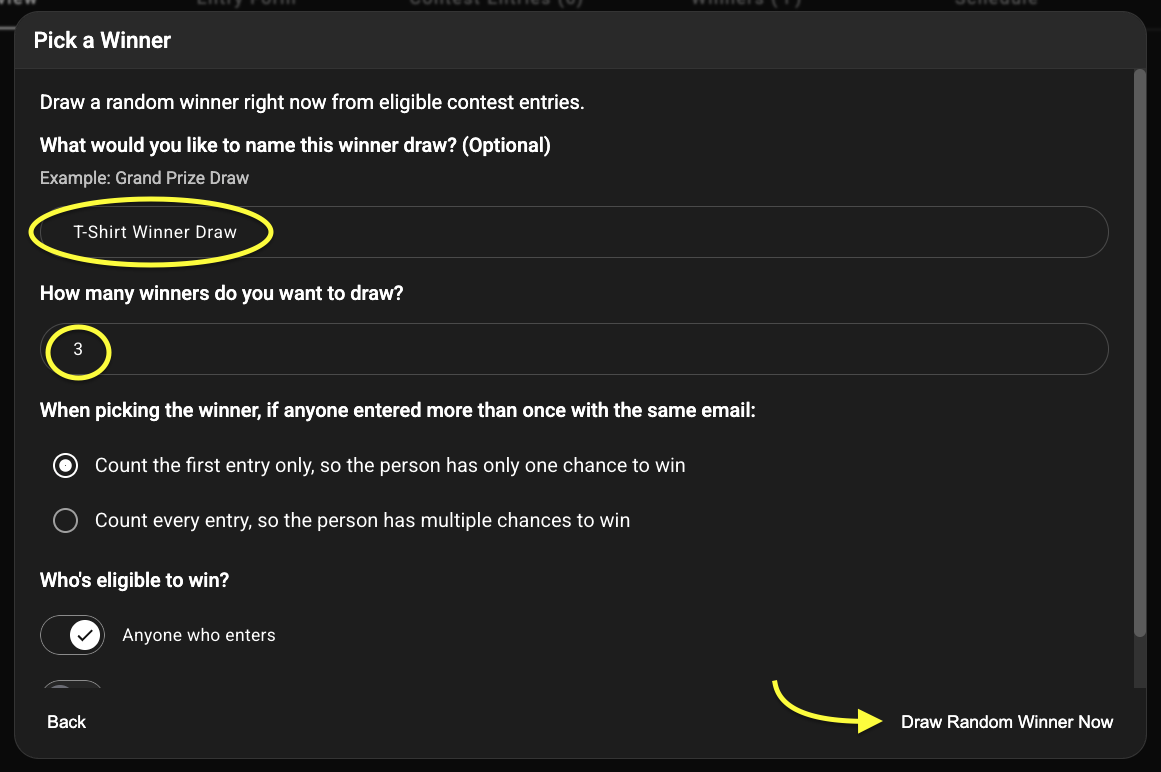
4) On the Winner Chosen screen, choose Done. The T-Shirt winners have now been picked.
5) To pick the grand prize winner, in the Overview tab, click Pick a Winner again.
6) Choose Draw Random Winner Now.
7) For "What would you like to name this winner draw?", enter Concert Tickets Grand Prize Draw, then click Draw Random Winner Now.
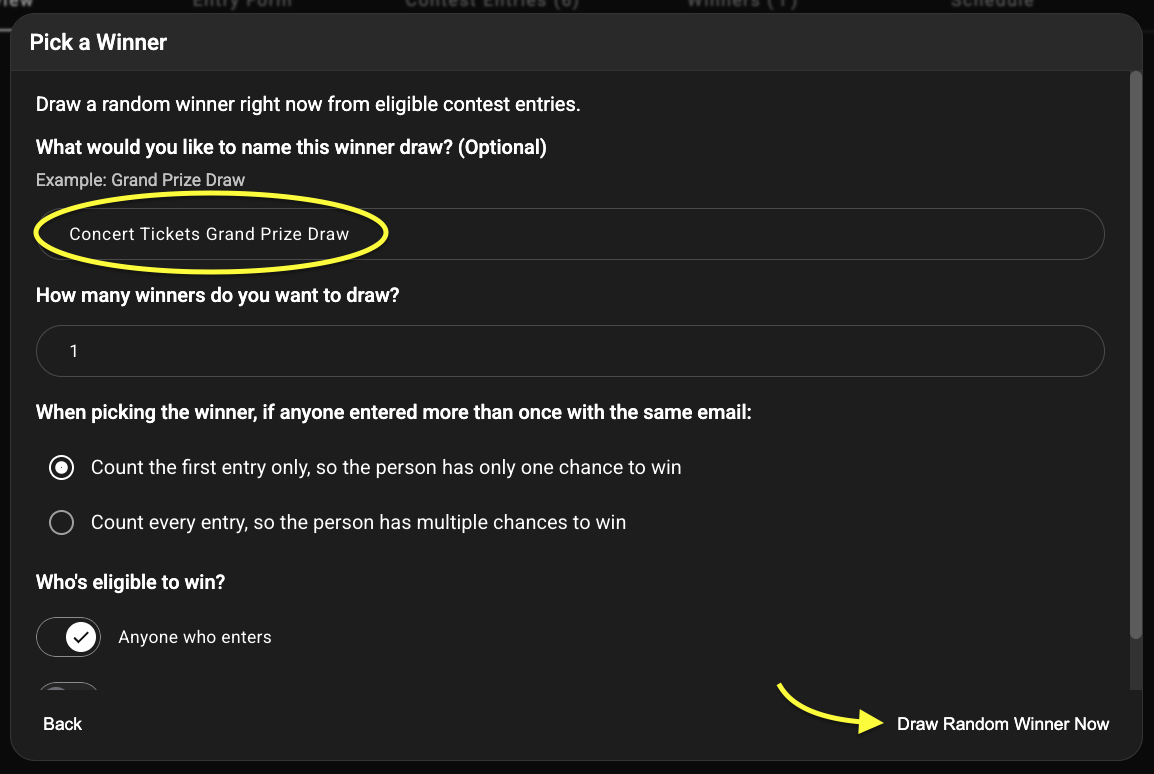
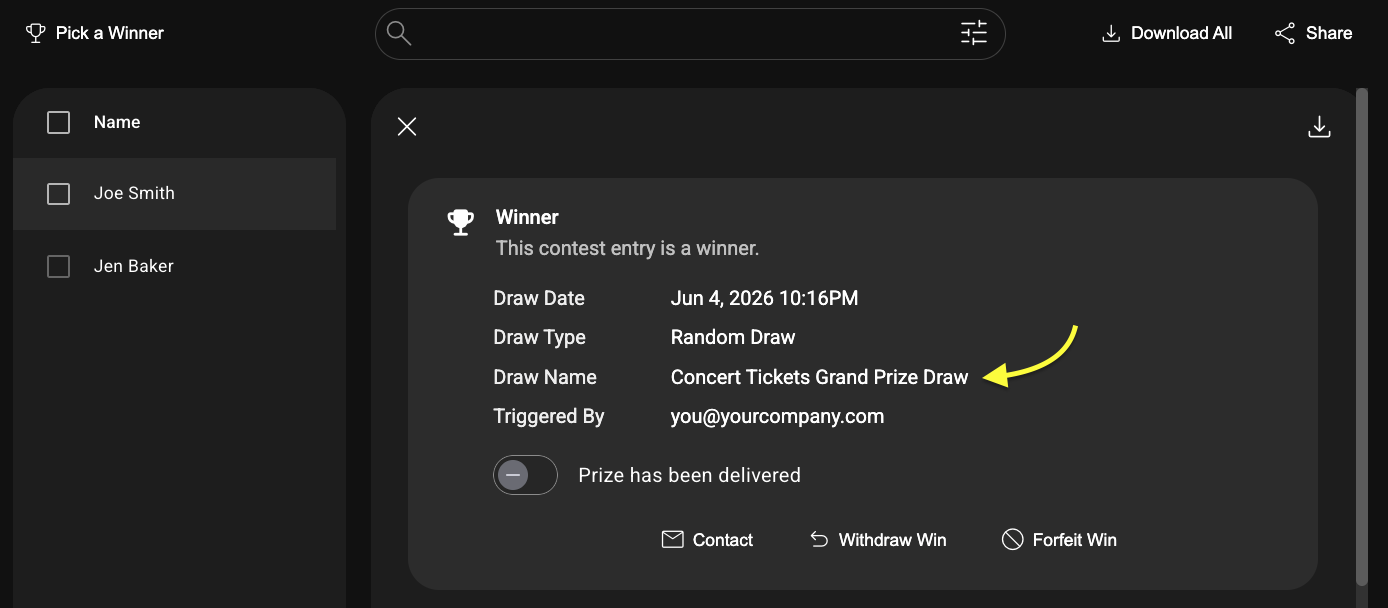
Your four contest winners will now be available on the Winners tab. To see which person won which prize, click any name in the Winners tab. On the right side, the Draw Name shows the name of the prize.
And that's all there is too it! Happy contesting!
Was this article helpful?
That’s Great!
Thank you for your feedback
Sorry! We couldn't be helpful
Thank you for your feedback
Feedback sent
We appreciate your effort and will try to fix the article