In Megaphone Studio, user accounts can be removed by a Megaphone Team Manager in the Team tab. A Team Manager is a user that has the Team role.
To remove a user account, follow the steps below.
Step 1: Open Account Settings
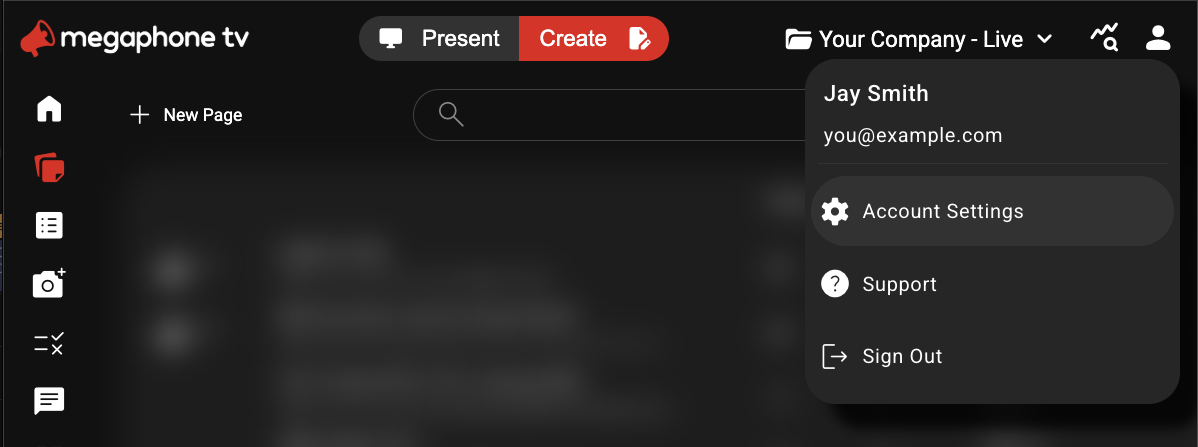
In the top-right corner of Megaphone Studio, click the User icon, then choose Account Settings.
Step 2: Open the Team Tab
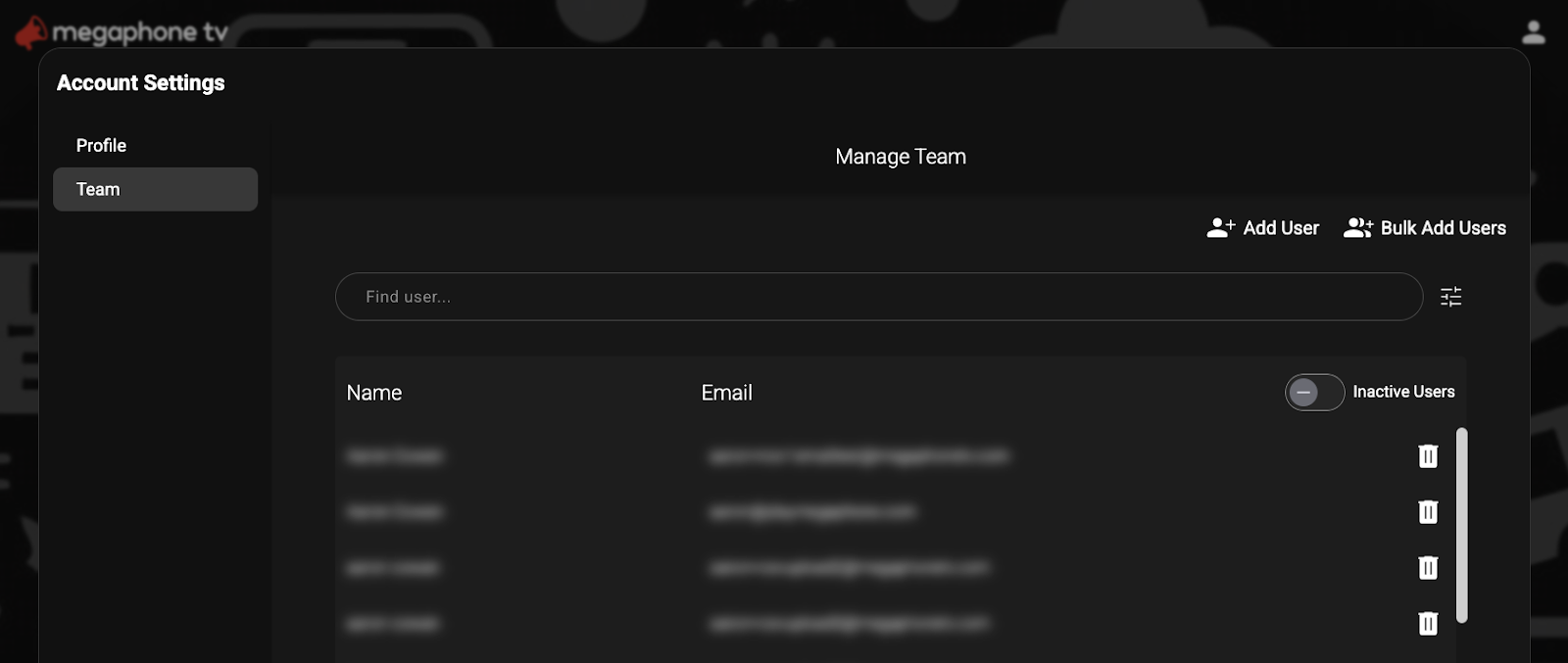
In Account Settings, select Team. A list of users that you have access to will appear. If you don't see the Team tab, you don't have the Team role, and you'll have to ask a Team Manager at your organization to remove users for you.
Step 3: Select the User
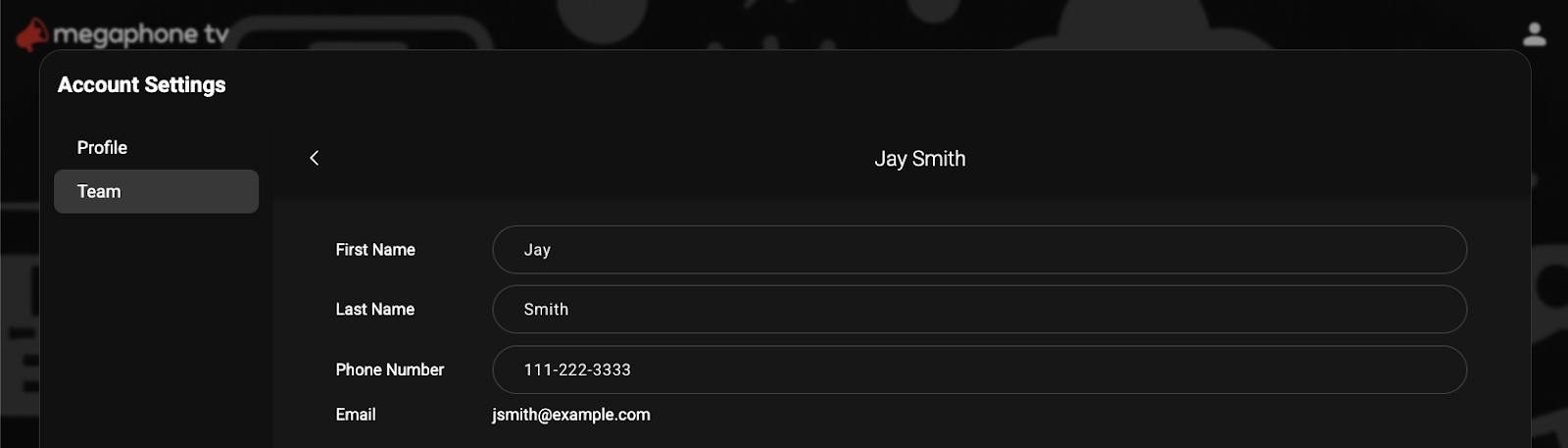
In the Team tab, use the search bar to find the user you want to add roles to, or remove roles from. Click the user's name to display the user's profile, which includes the user's roles.
Step 4: Remove the User
At the bottom of the user's profile, click Remove User.
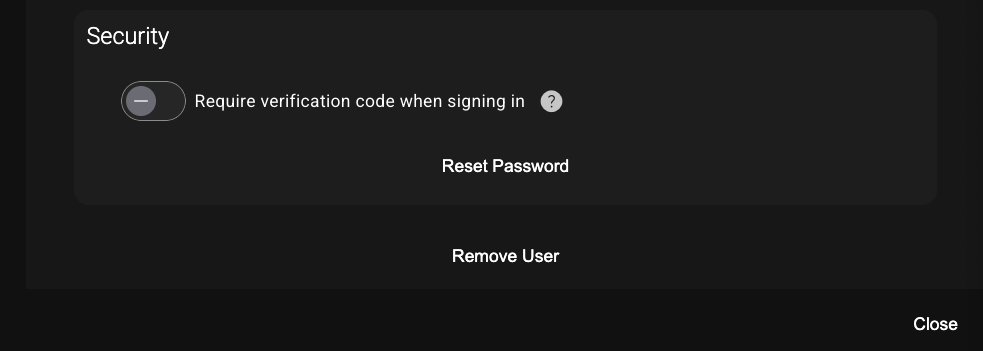
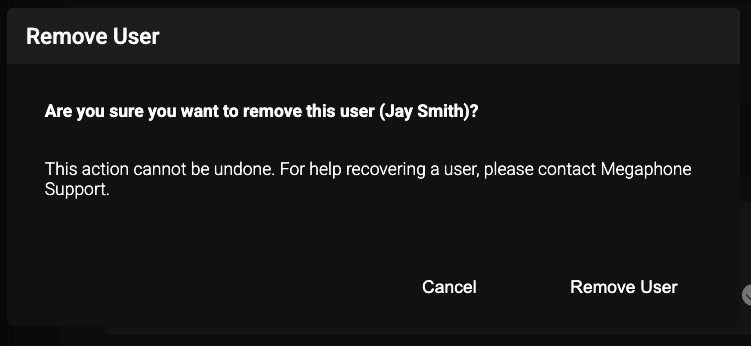
When you're asked to confirm that you really want to remove the user, click Remove User.
Was this article helpful?
That’s Great!
Thank you for your feedback
Sorry! We couldn't be helpful
Thank you for your feedback
Feedback sent
We appreciate your effort and will try to fix the article