SCIM Provisioning automatically creates, updates, and deletes Megaphone user accounts when access to Megaphone is granted or revoked in Okta. Specifically, when SCIM Provisioning is enabled:
- Assigning an Okta user to the Megaphone TV Application will create a corresponding user in Megaphone Studio
- Unassigning an Okta user from the Megaphone TV Application will deactivate the user in Megaphone Studio
Steps to Enable SCIM Provisioning
- Sign into your Okta Admin Console
- In the left navigation column select Applications > Applications
- Select the Megaphone TV application
- Select the "General" application setting
- Edit App Settings
- Under Provisioning select SCIM
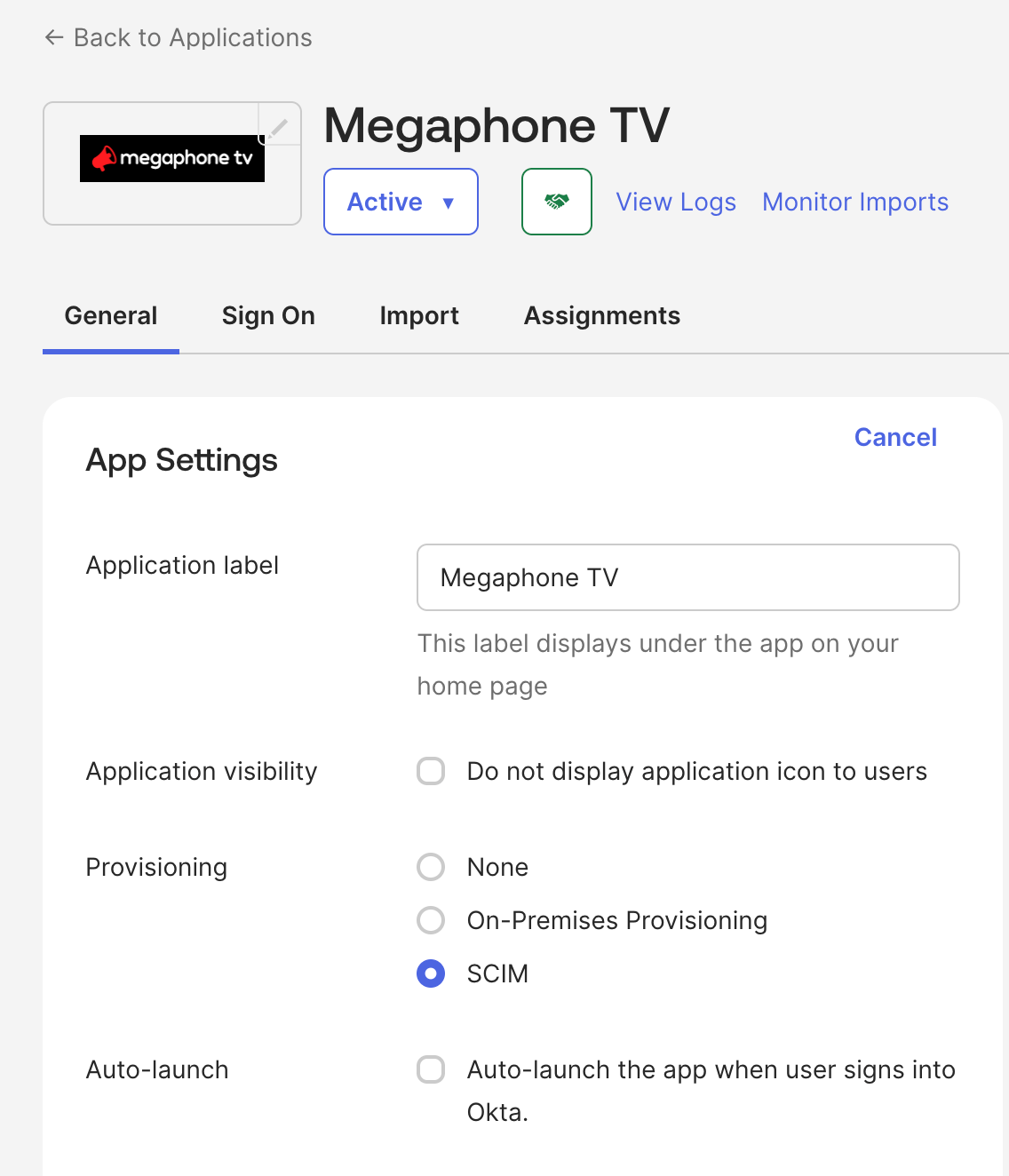
- Click "Save"
- "Provisioning" will appear as a new tab in your application view
- Select the "Provisioning" tab
- Edit your SCIM Connection
- SCIM connector base URL:
https://studio.megaphonetv.com/okta/scim/v2/accounts/AccountID
For AccountID, use the ID provided by your Megaphone representative. - Unique identifier field for users:
Enter "email" - Supported provisioning actions:
Select the following:
"Push New Users"
"Push Profile Updates" - For Authentication Mode, use "HTTP Header"
- SCIM connector base URL:
- Edit th HTTP Header:
For the Bearer token, use the token provided by your Megaphone representative - Click "Test Connector Configuration"
If SCIM is correctly configured, the following popup will appear: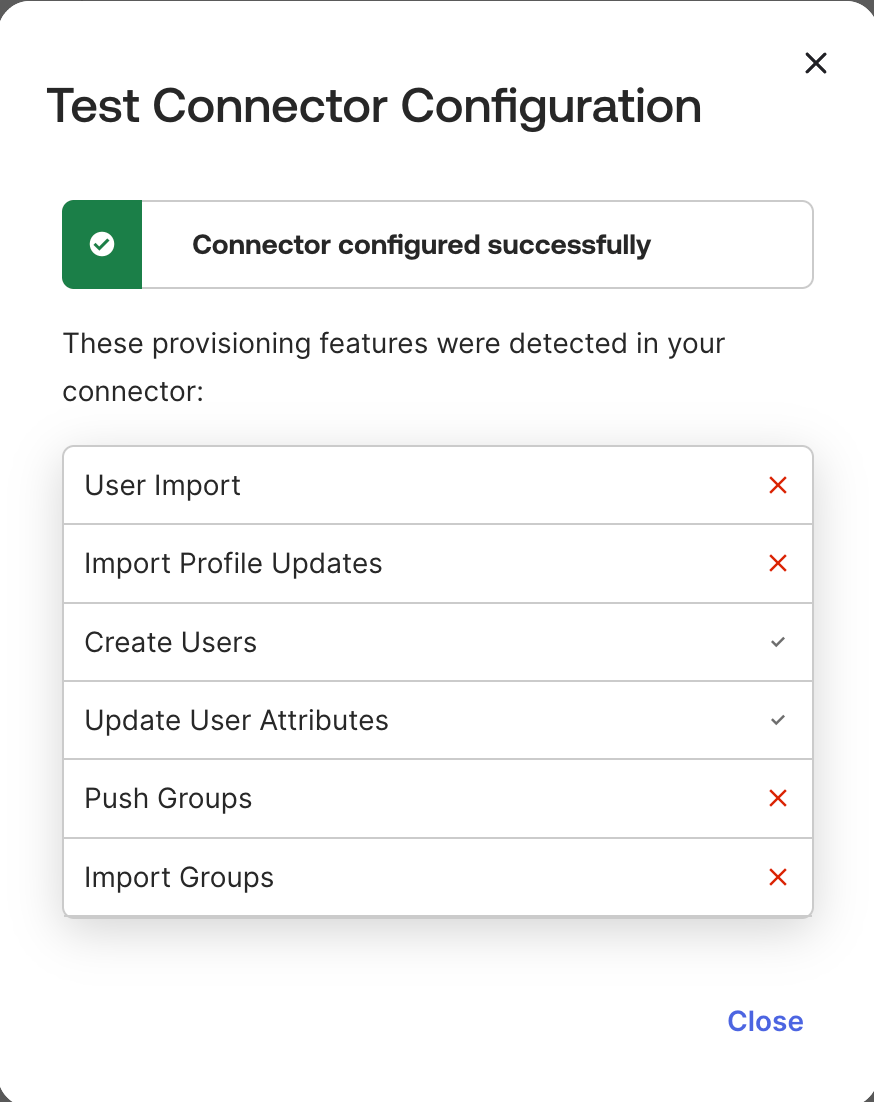
- After a successful test, click Close, then "Save"
- While still in the Megaphone TV application select the "Provisioning" tab
- Click "To App"
- Under "Provisioning to App" click "Edit"
- Enable the following:
Create Users
Deactivate Users - Click "Save"
- Enable the following:
Was this article helpful?
That’s Great!
Thank you for your feedback
Sorry! We couldn't be helpful
Thank you for your feedback
Feedback sent
We appreciate your effort and will try to fix the article