SCIM provisioning automatically creates and deactivates Megaphone TV user accounts when users are assigned to or removed from the Megaphone TV Enterprise Application in Entra.
Limitations
- Megaphone's SCIM supports directly assigned users only. Group-based provisioning is not supported.
- When a user is assigned to the Megaphone TV application in Entra, Megaphone TV creates the user without roles. Before the new user can access content in Megaphone Studio, a Team Manager must assign that user roles within Megaphone Studio.
To Enable SCIM Provisioning
- Sign in to the Microsoft Entra admin center.
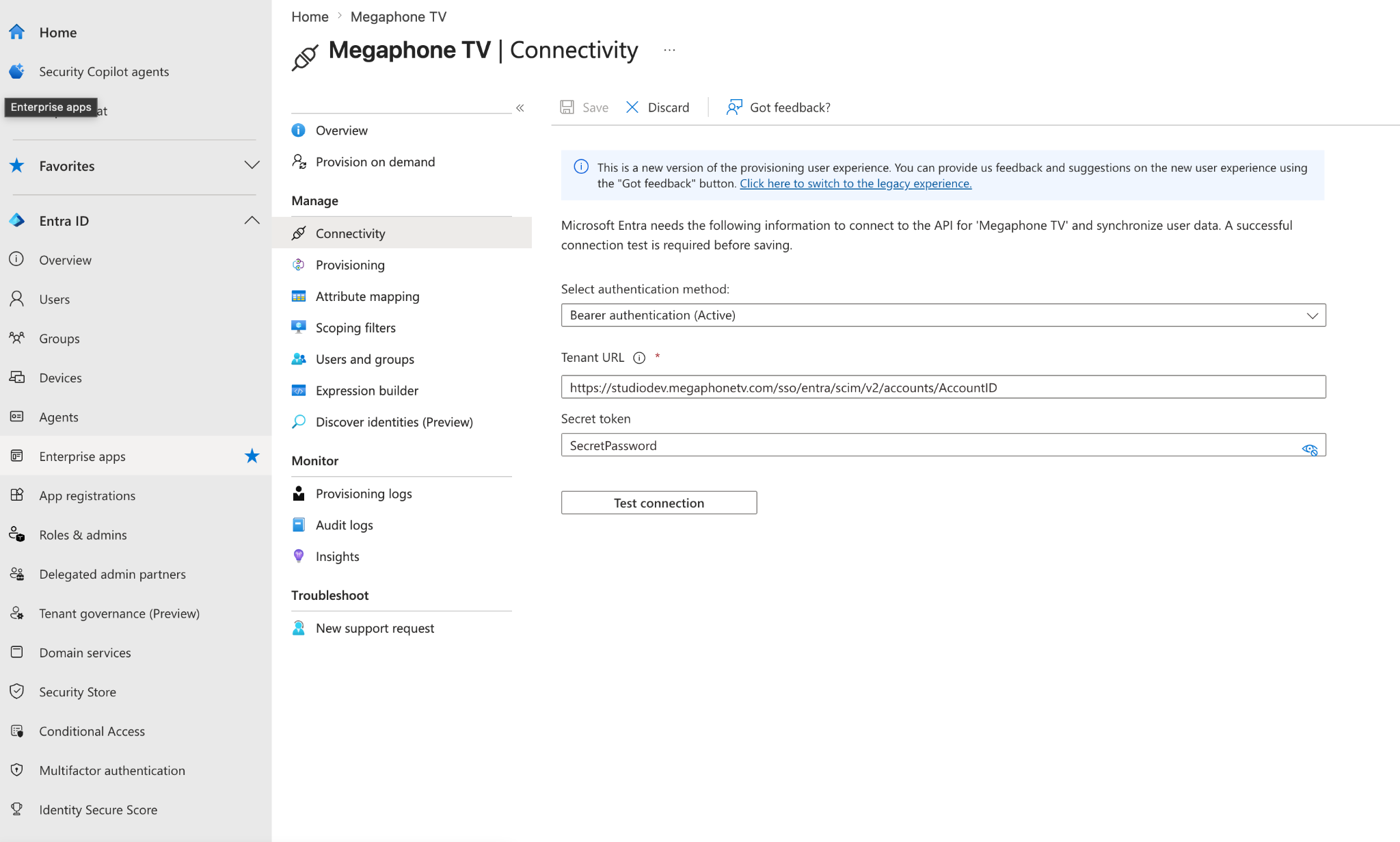
- In the navigation bar on the left hand side, select "Enterprise apps".
- Select the Megaphone TV application
- Under Manage select "Provisioning"
- Under Manage select "Connectivity"
- For "Select authentication method", select "Bearer authentication"
- For "Tenant URL", enter:
https://studio.megaphonetv.com/sso/entra/scim/v2/accounts/AccountID
For AccountID, use the ID provided by your Megaphone representative. - For "Secret Token", use the token provided by your Megaphone TV Representative.
- Click "Test connection"
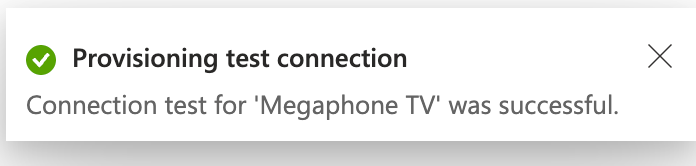
- If SCIM is configured correctly, the following success confirmation will appear:
- If SCIM is configured correctly, the following success confirmation will appear:
- Click "Save"
Was this article helpful?
That’s Great!
Thank you for your feedback
Sorry! We couldn't be helpful
Thank you for your feedback
Feedback sent
We appreciate your effort and will try to fix the article