Home is a "central destination" for your audience to visit your Megaphone content. Home has its own public link for your audience to visit directly. You can share that link using the Share Link or Share QR buttons in Studio's Home tab. Or, you can add Home to your website by following the steps below.
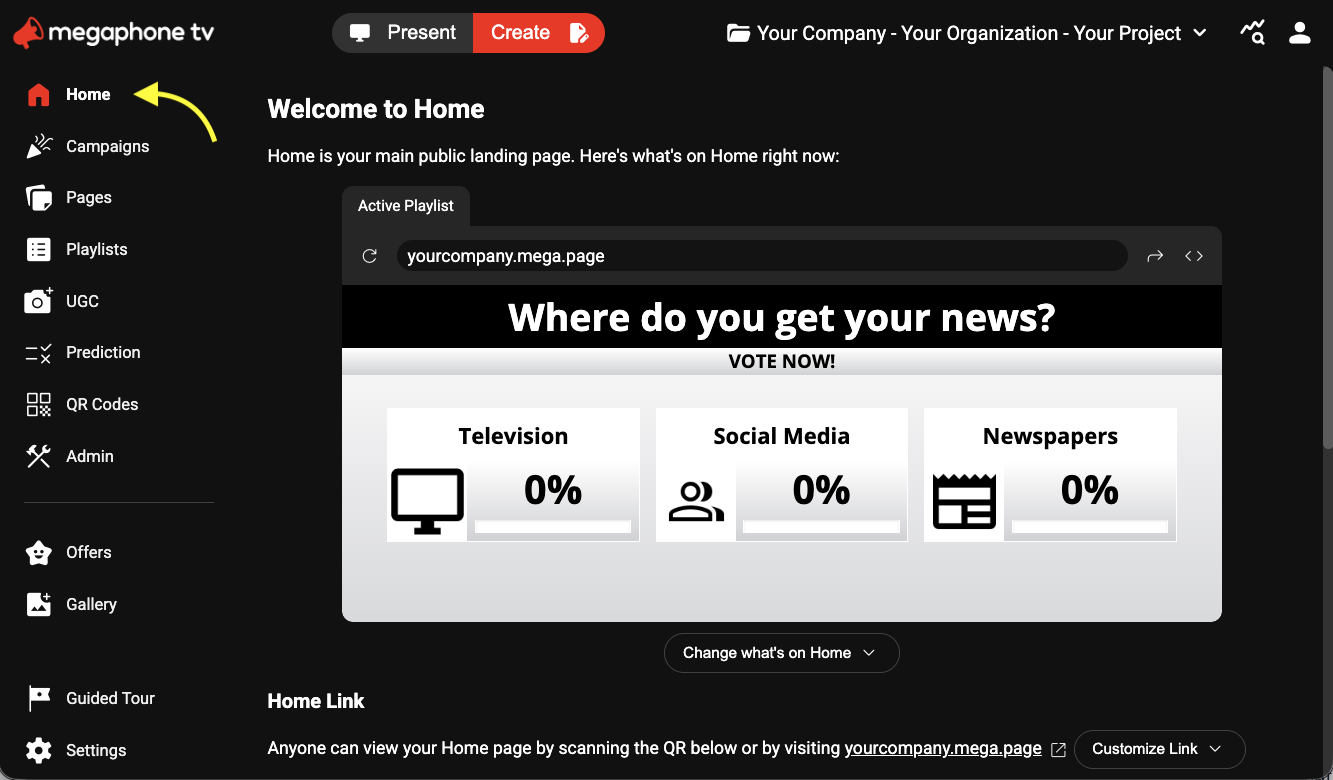
1) In Studio, select Home.
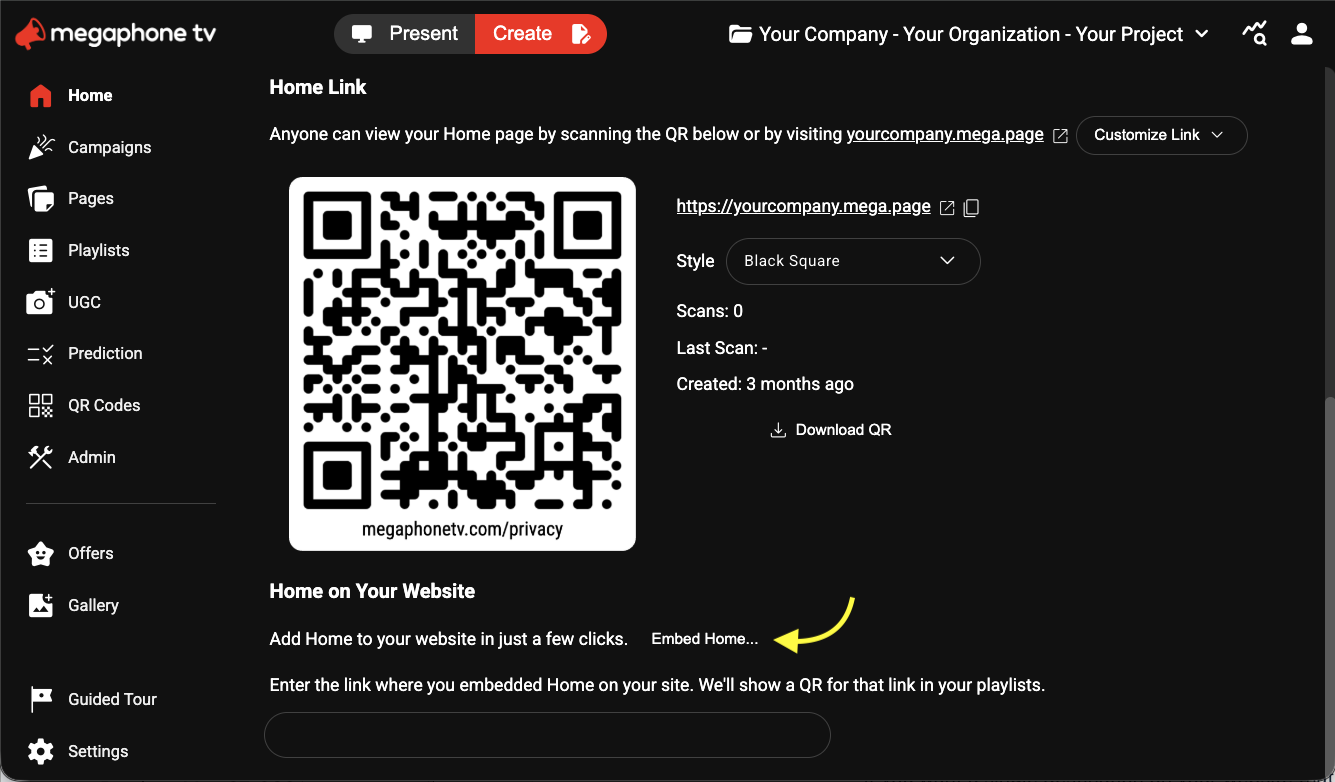
2) Scroll down to Home on Your Website, then click Embed Home...
3) On the Embed dialog, click Copy.
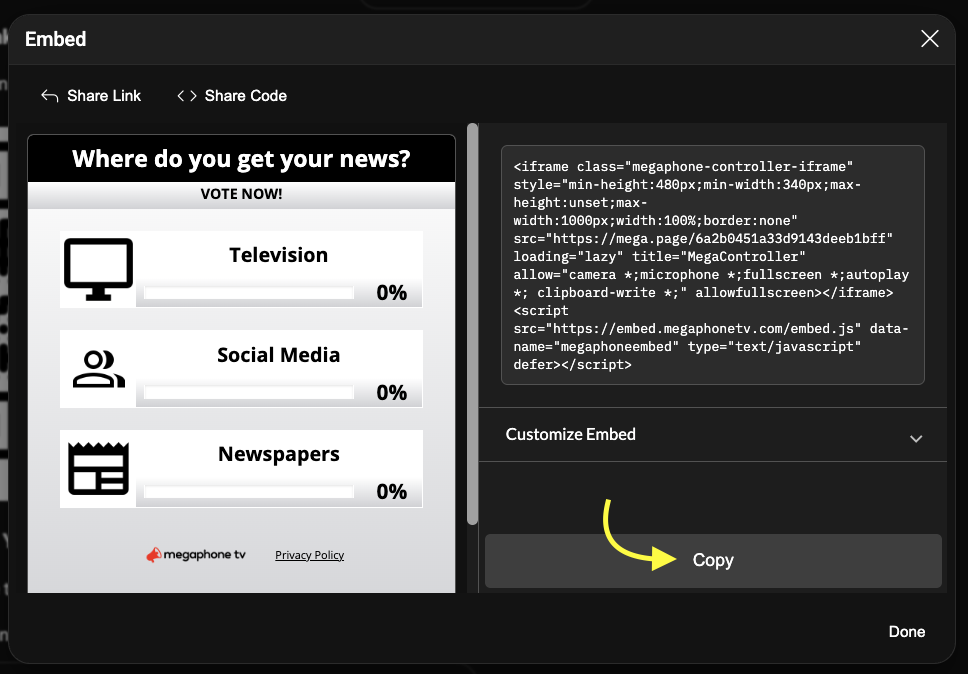
4) Paste the copied Home embed code into your website's CMS or source code. If you don't have access to your website, and the person who manages your website doesn't have access to Megaphone Studio, click Share Code to send them a link to the embed code.
Typically, Home shows what's currently live in Megaphone Studio's Present tab. For example, if you have a poll live in Present, Home will show that poll. That way, the content you're showing in your TV show or on your venue display matches what your audience sees on their devices.
You can change what's on Home at any time for any campaign, show, or event. In Megaphone Studio's dashboard, just click Create > Home > Change What's on Home.
Was this article helpful?
That’s Great!
Thank you for your feedback
Sorry! We couldn't be helpful
Thank you for your feedback
Feedback sent
We appreciate your effort and will try to fix the article