The Featured Page shows the MegaPage that's currently featured in a Megaphone project. You can use the Featured Page to quickly switch between content in the Pages dashboard, without ever touching your CMS or your website's code. For example, before an event you could feature a page that says "Starting soon!", and when the event starts, you could then feature a page with a quiz, a contest, and a fan photo gallery. After the event, you could feature a page that says "Thanks for coming!" All without opening your website's CMS or changing your website's code.
To add a project's Featured Page to your site, follow the steps below.
Embedding the Featured Page on Your Website
1) In Studio, select Pages, then click the "feature" icon to feature a page.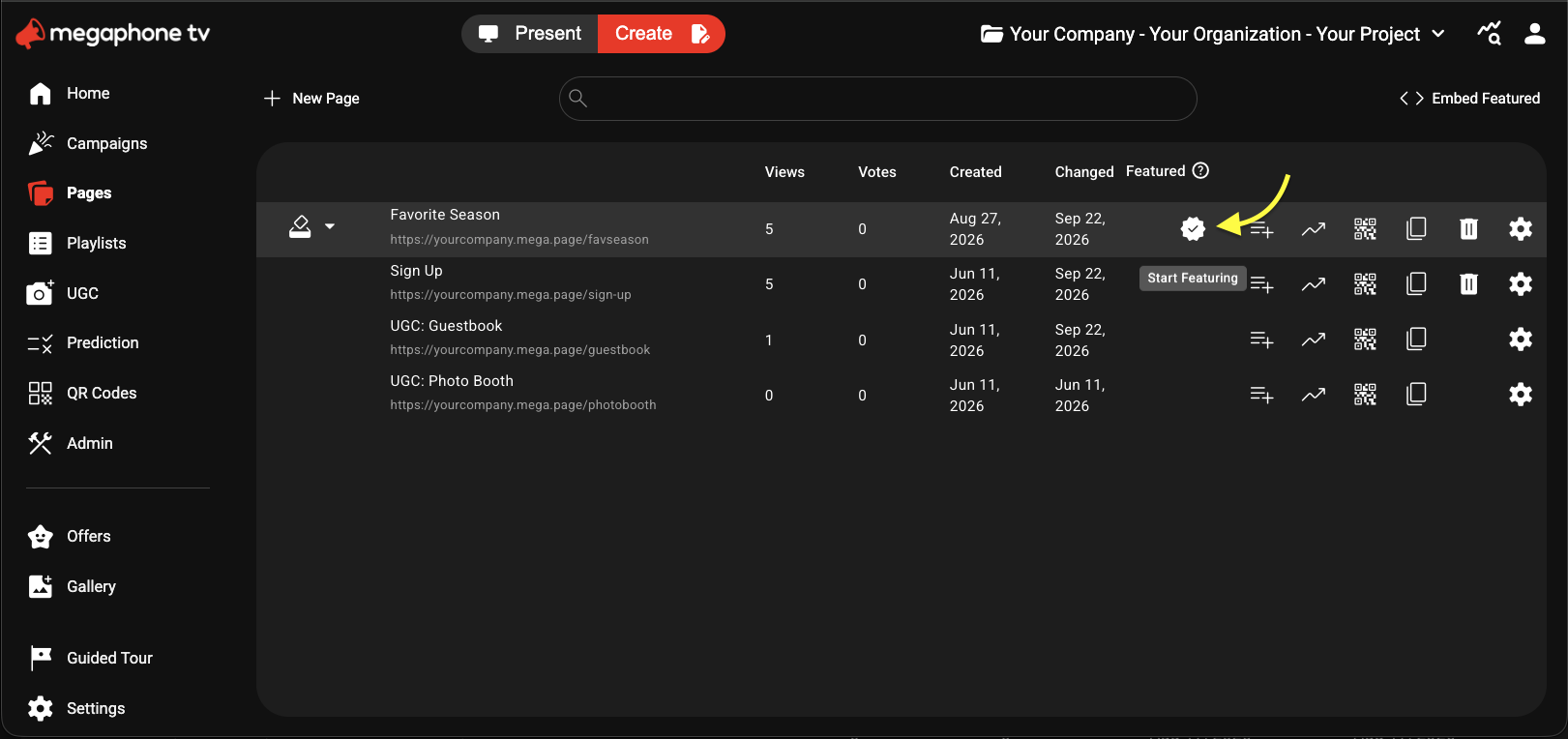
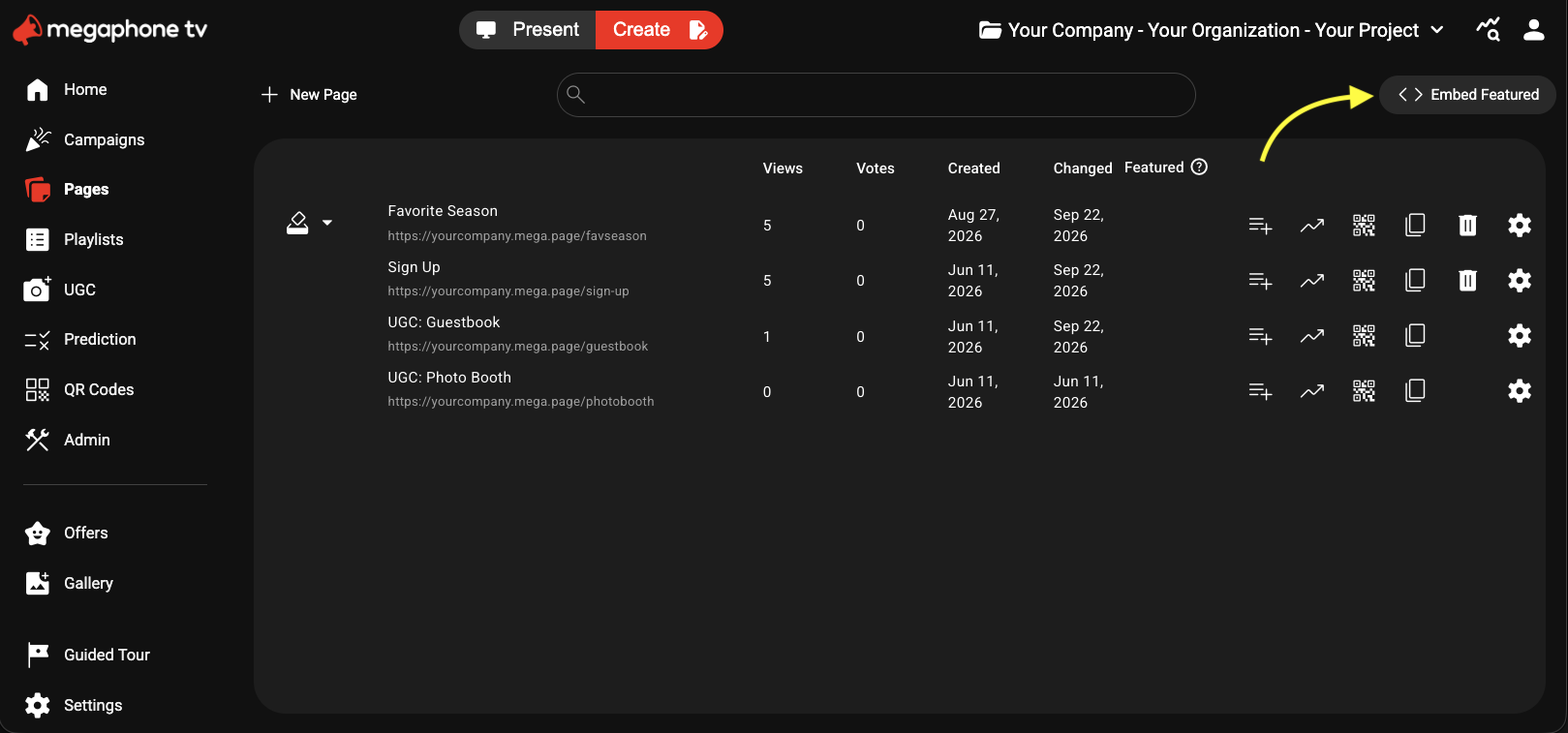
2) At the top-right of the pages list, click <> Embed Featured.
3) On the Embed dialog, click Copy.
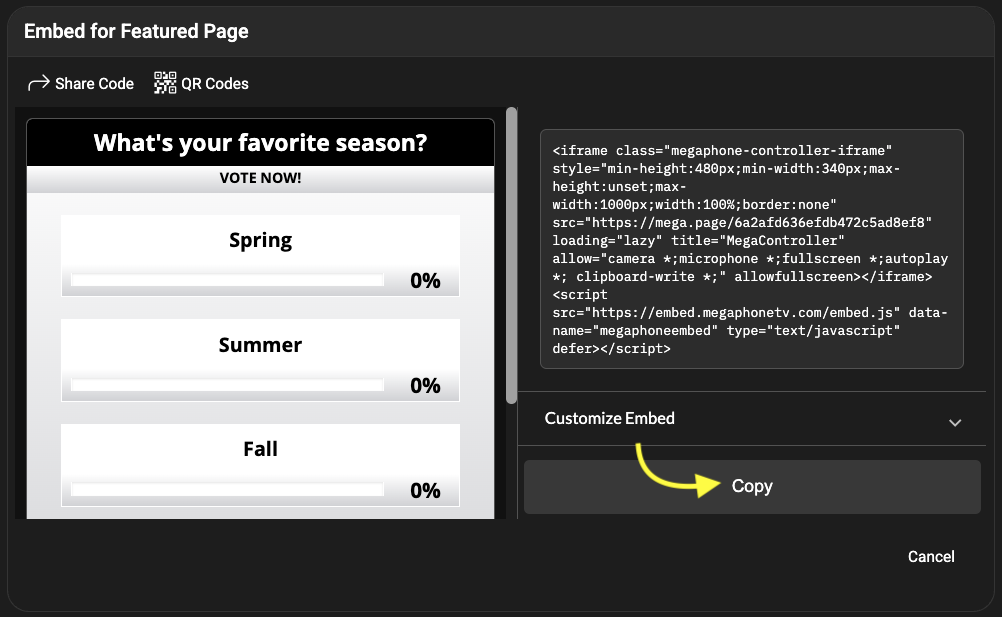
4) Paste the copied Featured Page embed code into your website's CMS or source code. If you don't have access to your website, and the person who manages your website doesn't have access to Megaphone Studio, click Share Code to send them a link to the embed code.
Was this article helpful?
That’s Great!
Thank you for your feedback
Sorry! We couldn't be helpful
Thank you for your feedback
Feedback sent
We appreciate your effort and will try to fix the article