With Megaphone, your audience can submit comments to your show, site, or event using a UGC Guestbook. To display a comment in your show or on a venue screen, follow these steps:
Showing a Comment On Air
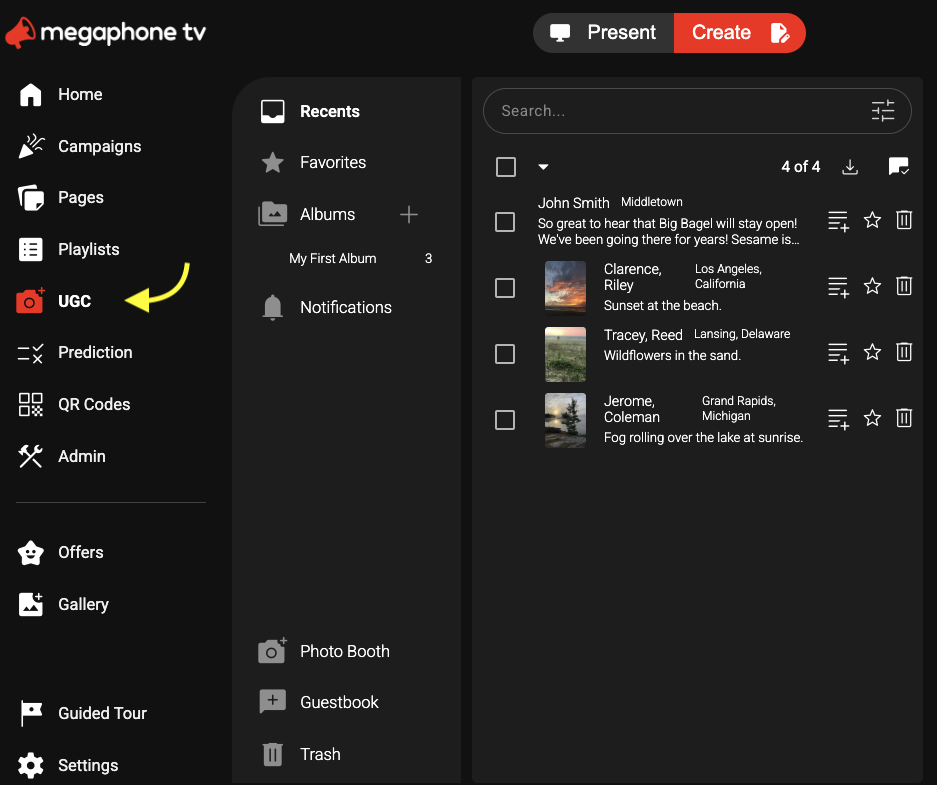
1) In Studio's Create tab, select UGC.
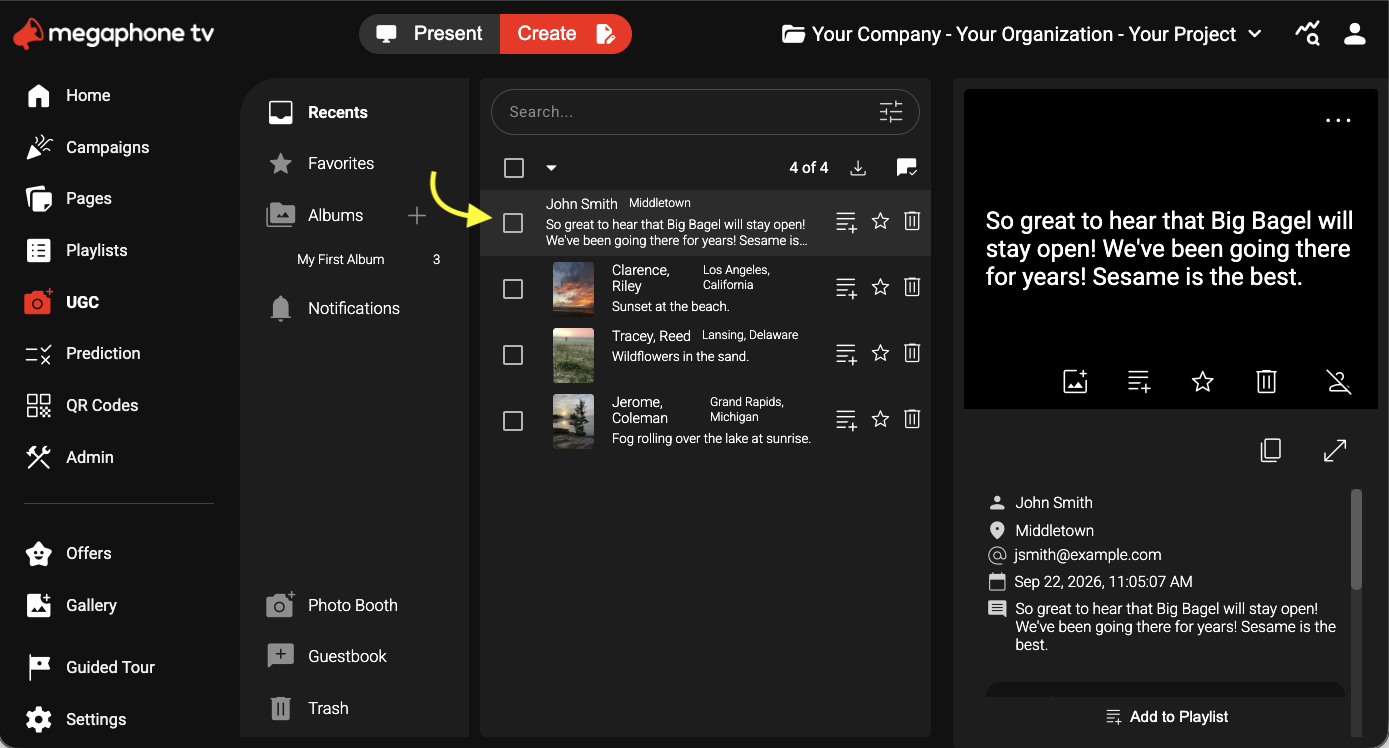
2) Under Recents, select the comment.
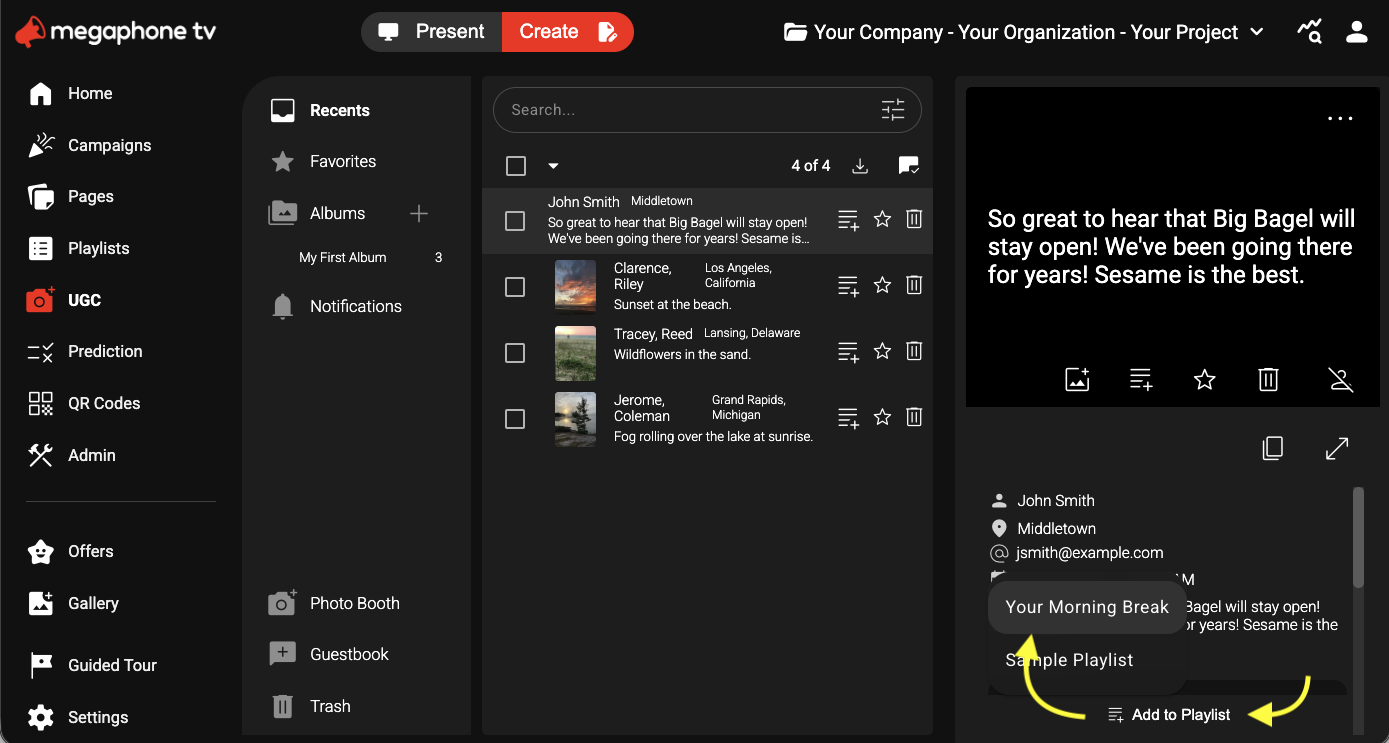
3) In the details view, below the comment, select Add to Playlist, then choose a playlist for the comment. A playlist is a series of interactive slides for on-air display.
4) At the top of Studio, select Present.
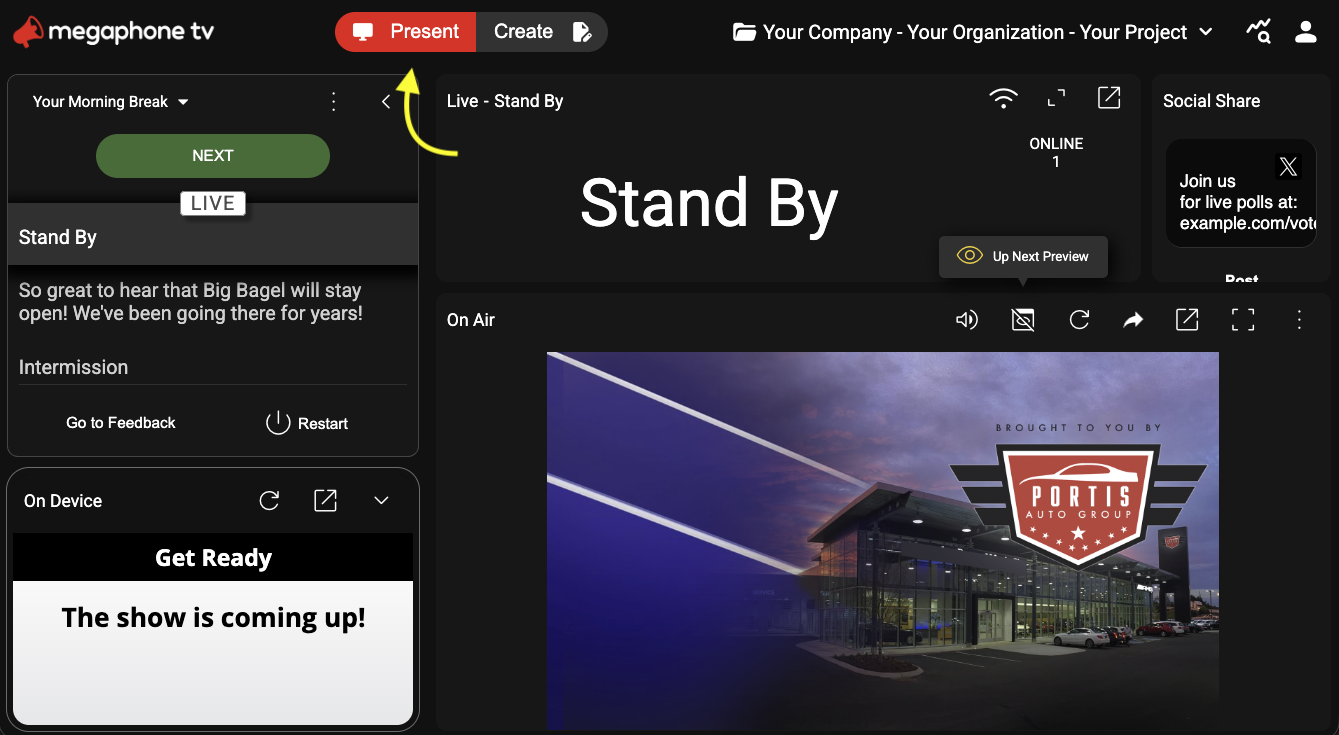
5) In the playlist, click the comment.
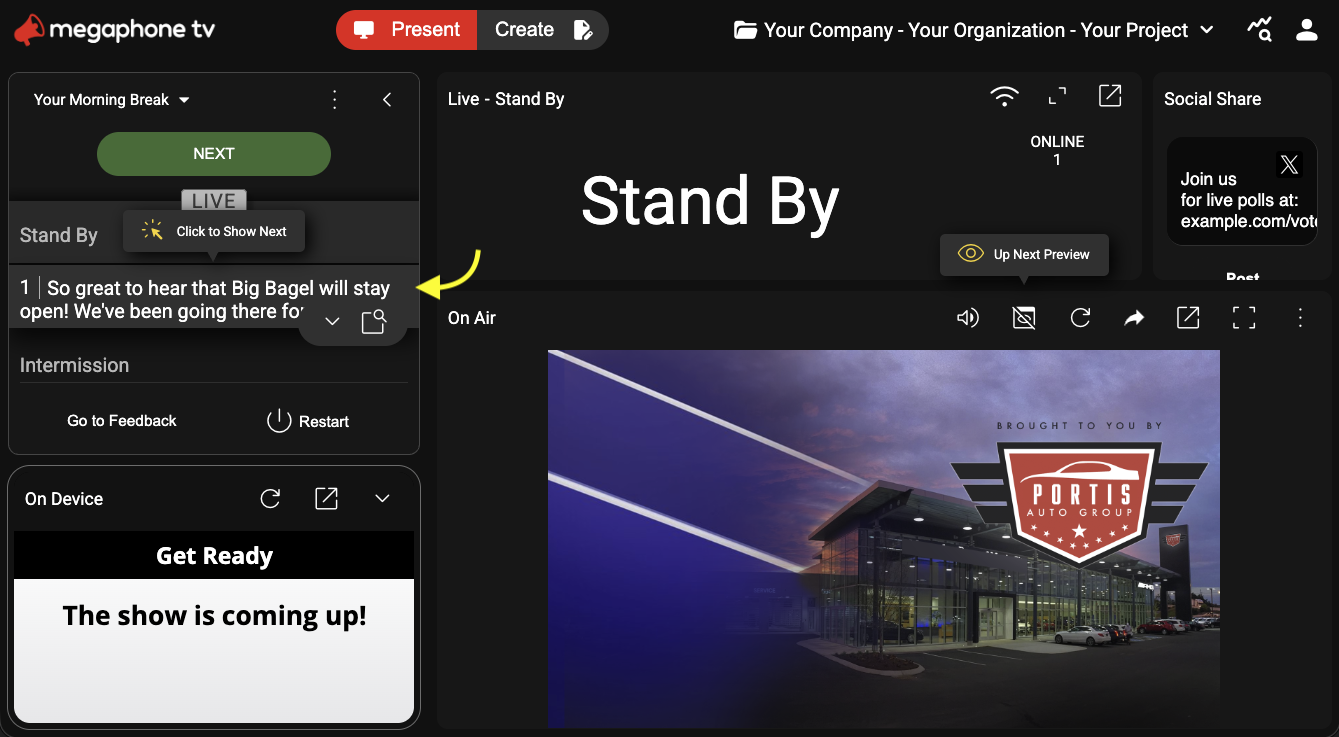
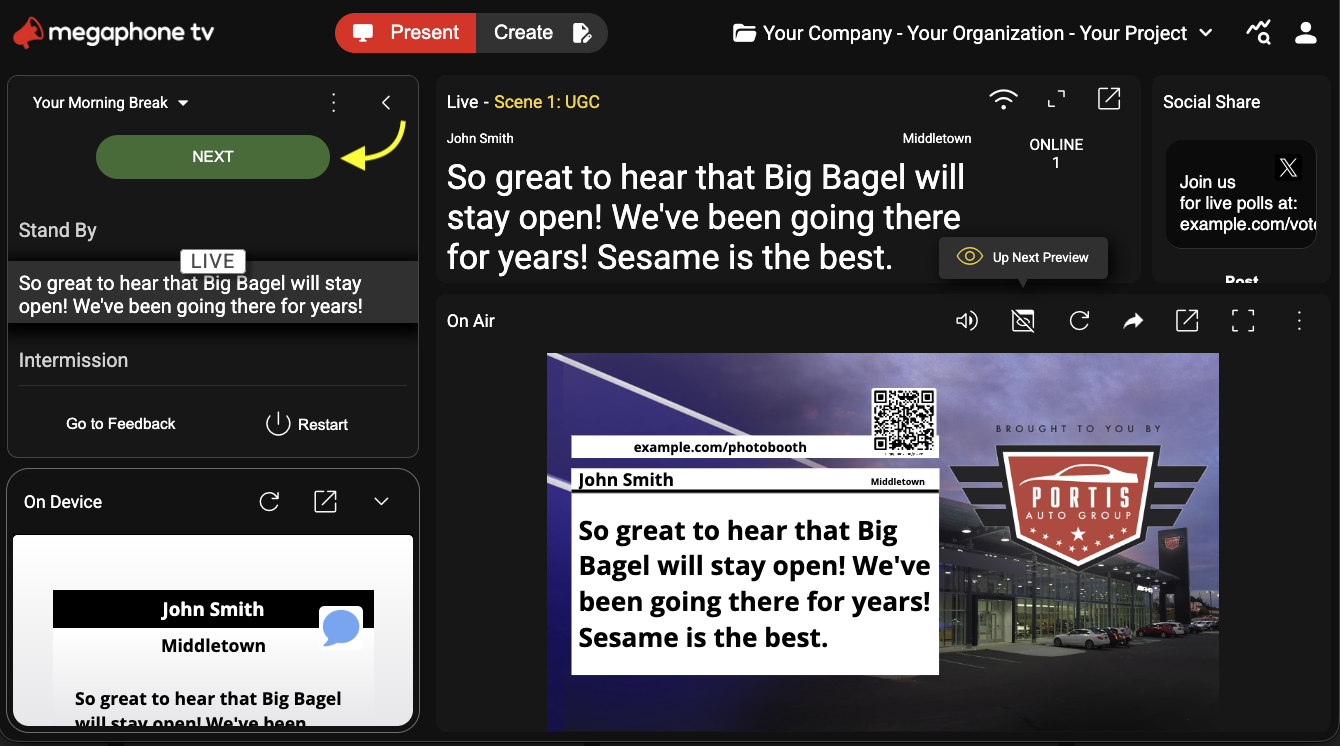
6) Click the Next button. The comment will appear in Present's On Air panel alongside a sponsor billboard, ready to include in your show or display on a venue screen. If your content isn't sponsored, you can remove the billboard.
Was this article helpful?
That’s Great!
Thank you for your feedback
Sorry! We couldn't be helpful
Thank you for your feedback
Feedback sent
We appreciate your effort and will try to fix the article